
Connect Google and Trustpilot and their reviews come into one inbox, where you can reply without jumping between tabs. The other review sites are linked: your profiles show on your dashboard and your review page can send customers to them, though their reviews aren't imported.
Step 1: Access the integrations page
Navigate to Settings → Integrations using the left-hand navigation. Under the Location Settings section, click Integrations.
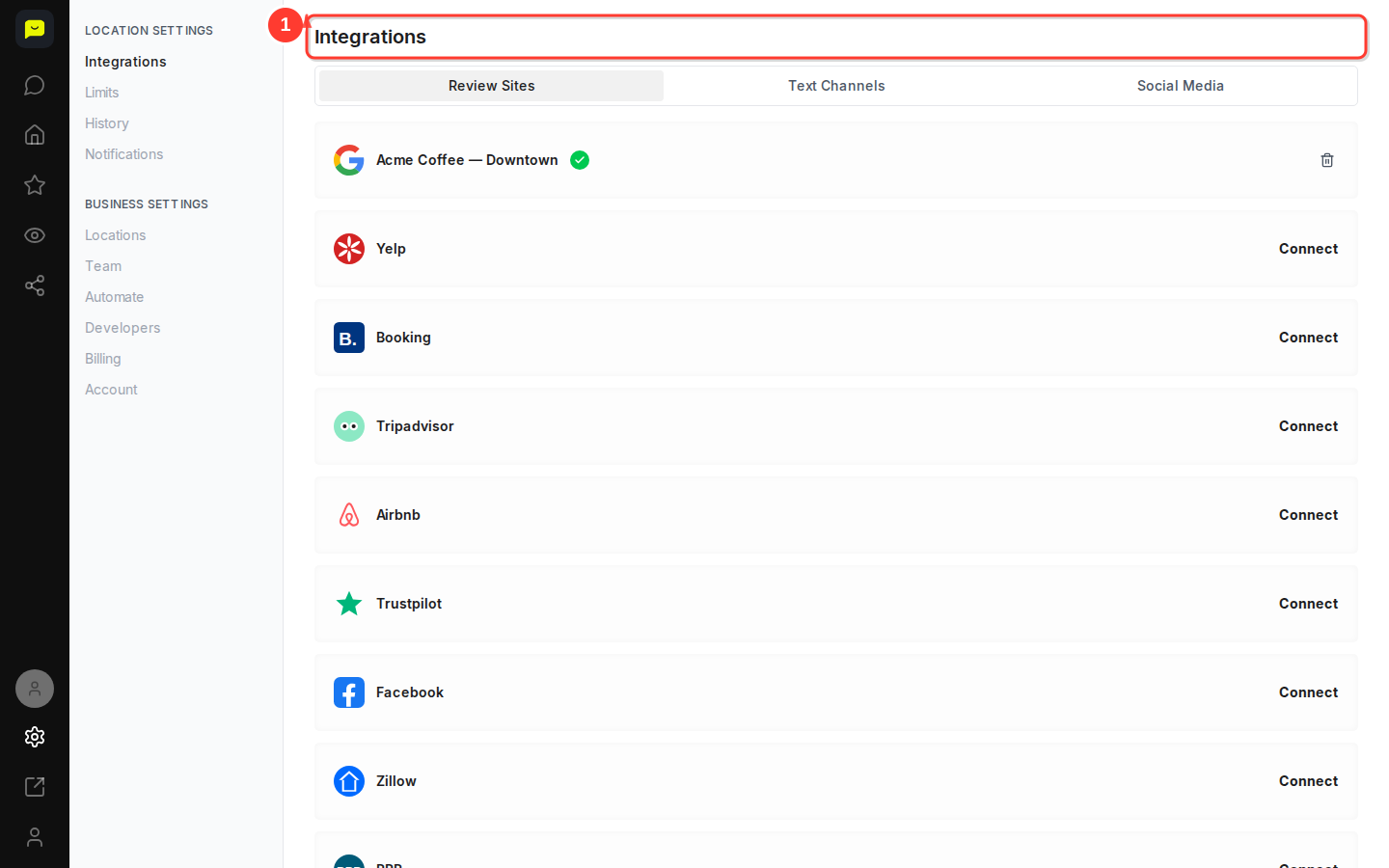
You'll see three tabs at the top of the page: Review Sites, Text Channels, and Social Media.
The Review Sites tab is selected by default and shows all available review platform integrations. Some platforms may already be connected, indicated by different button states, while others show Connect buttons.
Step 2: Review connected Google Business profiles
Before adding new platforms, check the Google row at the top of the list. A connected Google row shows a green check. If it isn't connected, click Connect: Google Public Access finds your business by name and imports its reviews, and Google Login signs in to your Business Profile so you can also post replies to Google. Only an owner or admin can connect Google.
The page shows the location picked in the location switcher. To connect sites for another location, switch to it first; each location keeps its own connections.
Step 3: Choose a platform to connect
Scroll down to see the full list of available review platforms. You'll find Trustpilot, which Praising.ai imports, and 19 sites it links: Yelp, Booking, Tripadvisor, Airbnb, Facebook, Zillow, BBB, Consumer Affairs, Glassdoor, Indeed, Expedia, Agoda, Angi, App Store, Capterra, Cars.com, Google Play, OpenTable and RateMDs.
Each platform displays its logo and a Connect button.
Step 4: Connect your chosen platform
Click the Connect button next to the platform you want to add. A dialog asks for the direct URL of your listing on that site: paste it and click Save. For Trustpilot, Praising imports your most recent reviews and then checks for new ones once a day. For the other sites, your listing appears on your dashboard with a direct link, and its reviews aren't imported.
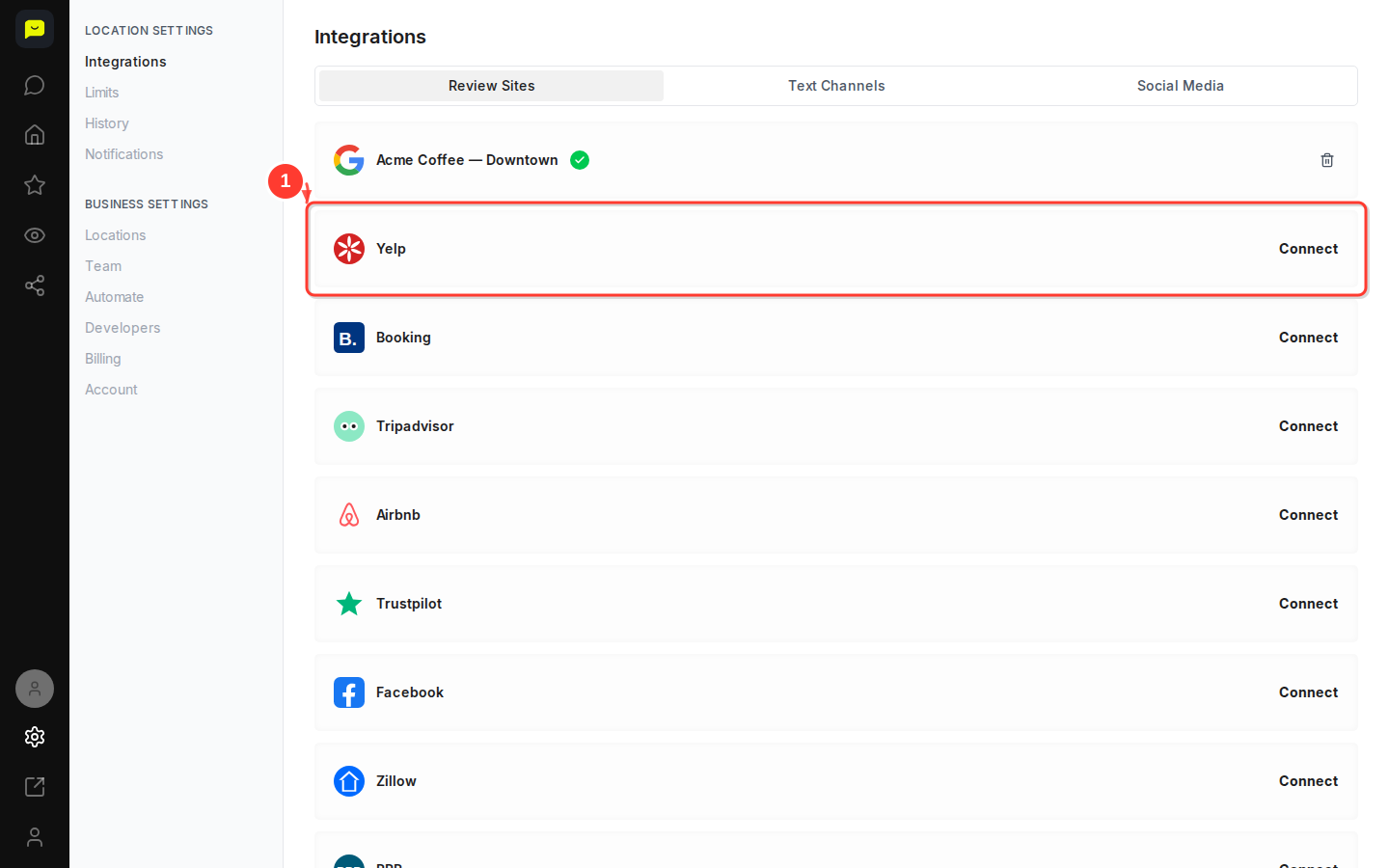

Step 5: Explore text and social media integrations
Switch to the Text Channels tab to see the channels your review requests can use, then check the Social Media tab for Facebook and Instagram.
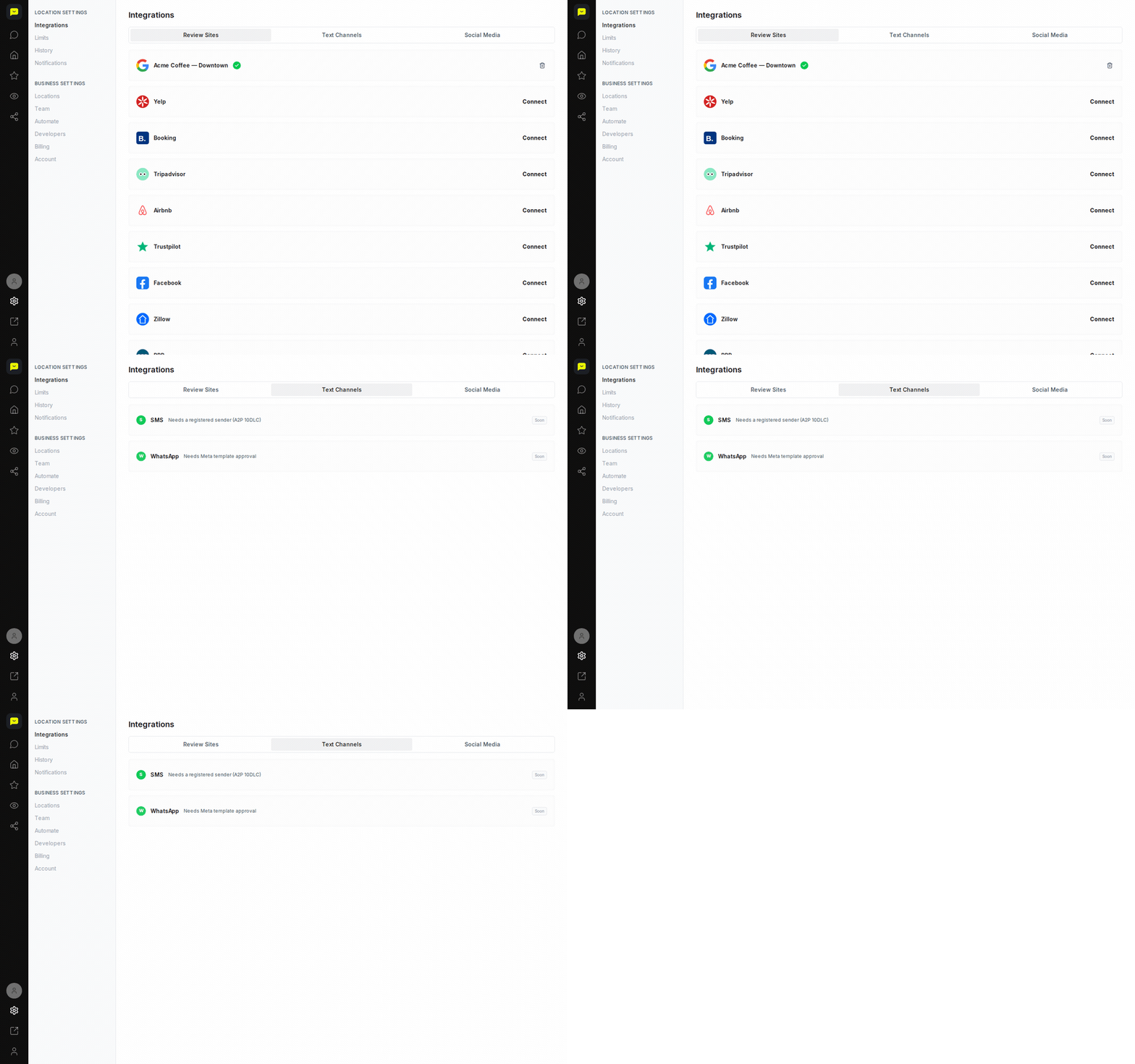
Email works on every plan and SMS on paid plans. WhatsApp, Facebook and Instagram aren't available in Praising yet, so their Connect buttons can't link an account today.
What's Next?
Once Google or Trustpilot is connected, their reviews start arriving, and Praising checks for new ones once a day. Head to Reputation → Reviews in the left-hand navigation to see them, set up message templates for your review requests under Reputation → Templates, or switch on Reputation → Auto-Send to email a review request to each new contact.
You can return to Settings → Integrations at any time to connect additional platforms or manage existing connections.
Open integrations →