
Your contacts list holds the customers you've added to Praising, whether or not you've asked them for a review yet. From here you can view contact details, check outreach status, and decide who to contact next.
View your contacts overview
Navigate to your contacts list
In the left-hand navigation, open Reputation, then under the Requests section select Contacts. This takes you to /dashboard/reputation/contacts.
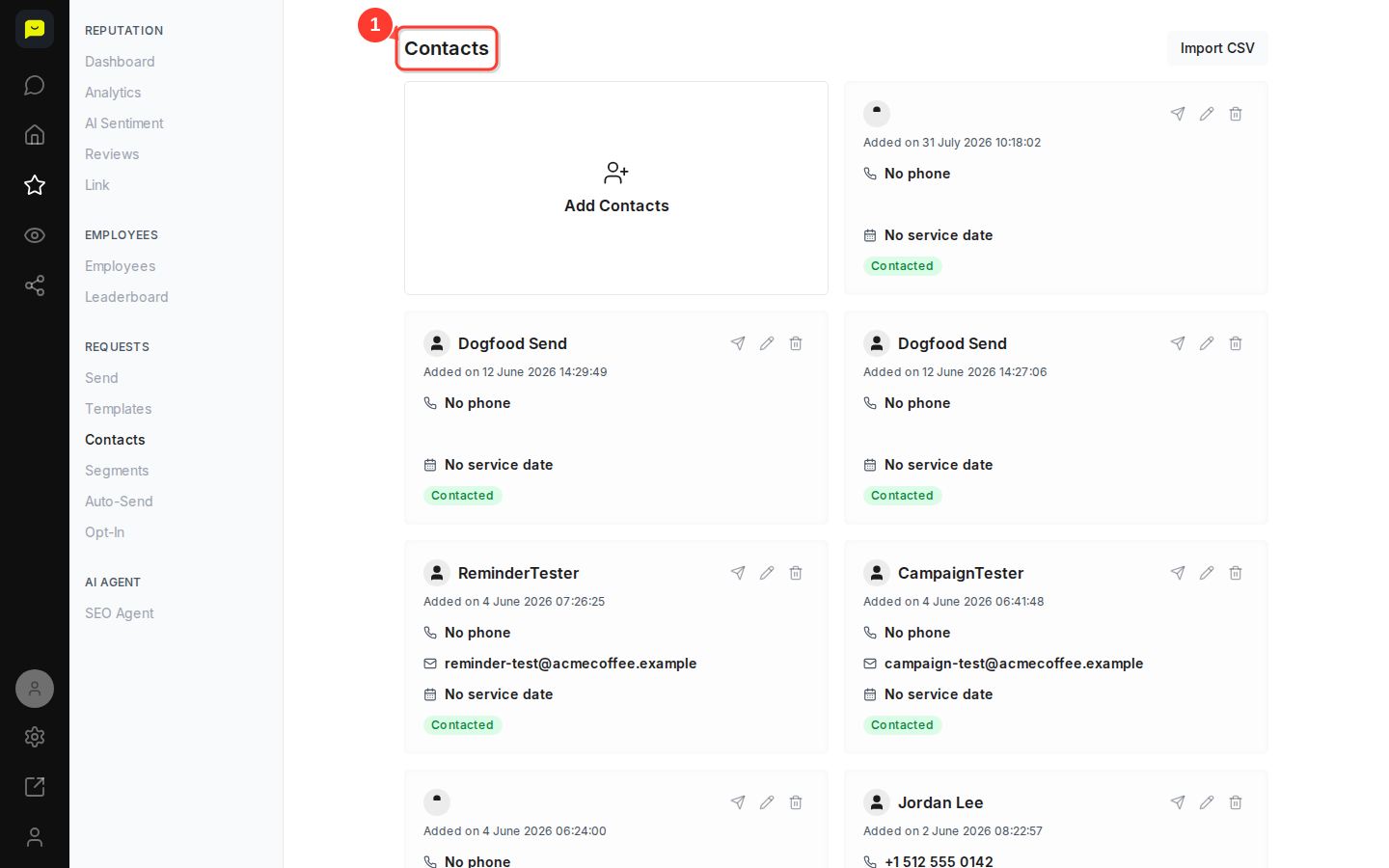
Review your contact list layout
You'll see your contacts as cards, newest first, with their names, contact details, and current status. The page shows the 500 most recently added.
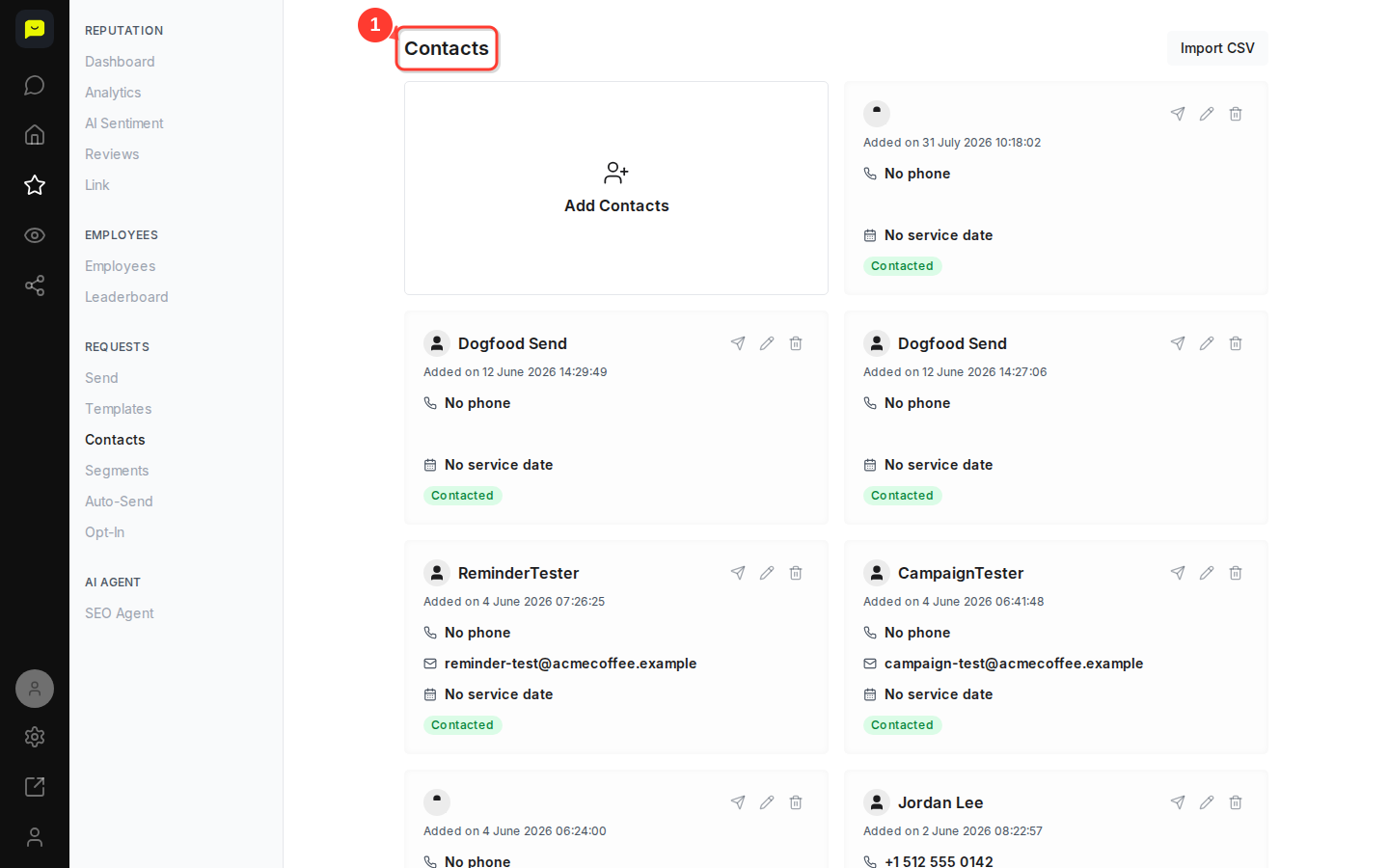
Check individual contact information
Each contact card shows when they were added, their phone number, email address, service date status, and contact status, so you can see exactly where things stand with each customer.
Add new contacts
Click the Add Contacts button
Click Add Contacts, the first card on the Contacts page, to add a customer by hand and confirm you have their consent. If you have a spreadsheet ready, click Import CSV at the top right to add them all at once (paid plans).
Manage individual contacts
Access contact actions
Each contact row has three action buttons: Send a review request, Edit to update contact details, and Delete to remove the contact from your list.
Review contact status information
The Contacted status and No service date indicators show you which customers have already been reached out to and which ones are missing information you'll need before following up.

Monitor contact timeline
Check when contacts were added
The "Added on" timestamp on each contact card shows how recent your contact data is, which helps you decide on the right timing for follow-up.
What's Next?
Once your contacts are organized, you can start sending review requests. Switch on Auto-Send (also in the Requests section of the Reputation nav) to email new contacts automatically, or reach out manually using Send for a more personal touch. On paid plans, you can also group contacts with Segments to target specific audiences, or add contacts from your own systems through the Praising API.
Open contacts →