
Your review widgets are how customers see your reviews on your website. Getting the design right means your widgets fit your brand and make a good impression on visitors.
Step 1: Choose your widget type
Navigate to the Widgets page by going to Visibility → Widgets in the left-hand navigation. You'll find three widget types available as tabs at the top of the page.
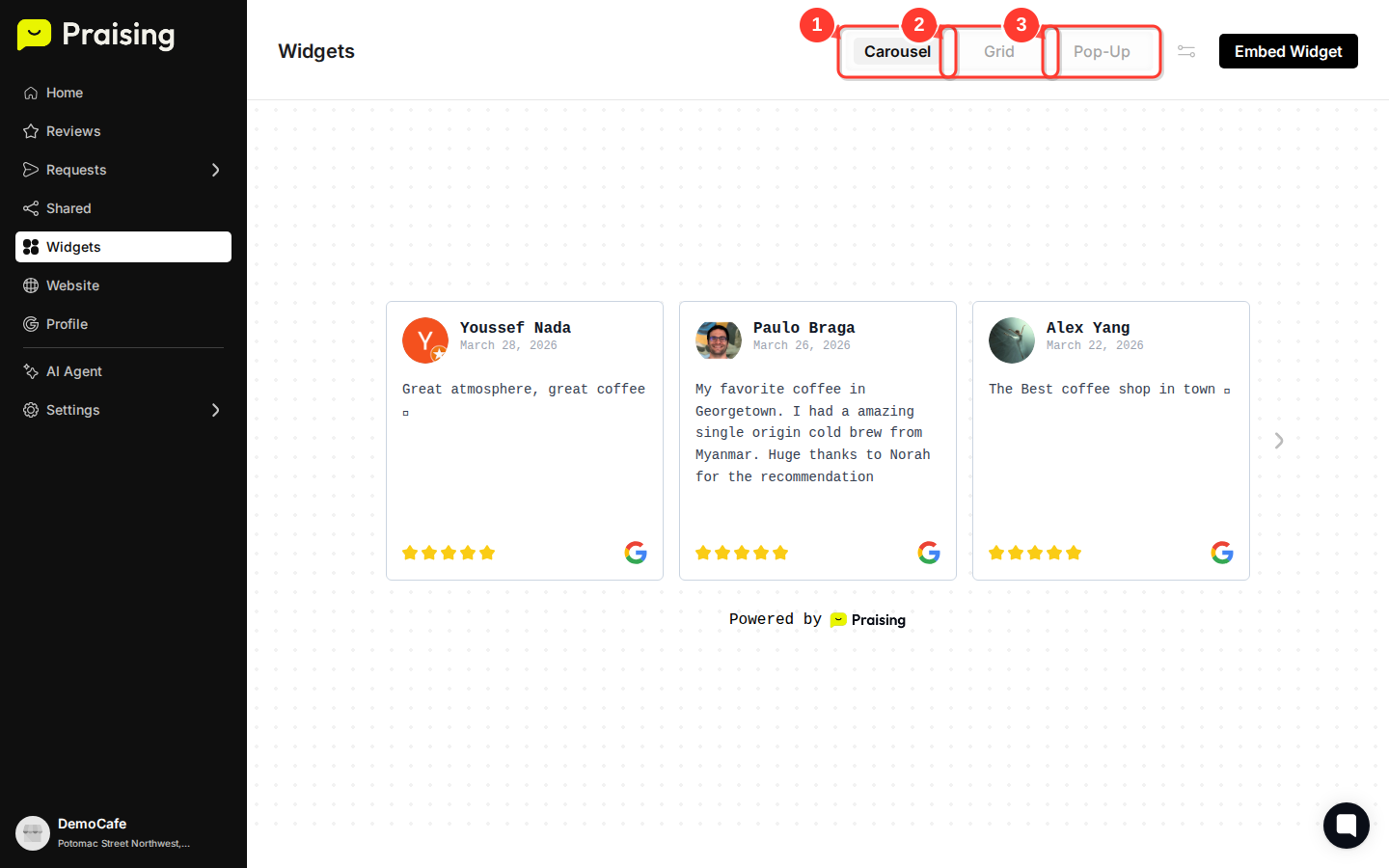
Start with the Carousel tab (selected by default) to see your reviews in a scrolling format. This works well when you want to display multiple reviews without taking up much space.
Step 2: Preview the Grid layout option
Click the Grid tab to see how your reviews look in a structured grid format.

The Grid layout arranges reviews in rows and columns, which suits dedicated review sections where you want to show several reviews at once.
Step 3: Explore the Pop-up widget style
Click the Pop-Up tab to preview the pop-up widget option.

Pop-up widgets appear as overlay windows on your site. They're a good choice when you want to draw attention to your reviews without giving them permanent space on the page.
Step 4: Access customization settings
Click the Widget settings button (the icon near the top-right of the widget preview area) to open the design customization options.
This opens a panel where you can adjust colors, fonts, layout spacing, and other visual elements to match your brand.
Step 5: Prepare your widget for embedding
Once you're happy with your widget design, click the Embed Widget button to get your embed code.

This generates the HTML you'll need to add the widget to your website. The code reflects all the customization choices you've made.

What's Next?
After customizing your widget design, you can:
Copy the embed code and add it to your website
Create multiple widget variations for different pages
Set up automated review collection to keep your widgets populated with fresh content
Monitor widget performance through your analytics dashboard
You can return to Visibility → Widgets at any time to tweak your design as your brand evolves or to create seasonal variations for promotions.
Open widgets →