Automation rules in Praising.ai connect your account with external services so you can trigger actions based on review activity. Set these up once and the platform handles routine tasks automatically — no more manually checking for new feedback or copying data between tools.
Go to Settings → Automate in the left-hand navigation to reach the Automate page at /dashboard/settings/automate.
Review your API key details
Your API key appears under the Your Keys section. If you haven't created one yet, the page shows "No API key yet — create one on the Developers page." Head to Settings → Developers to generate your key, then come back here. Once a key exists, click Reveal to view it and Copy API key to copy it to your clipboard. This key authenticates your account when connecting to external services.
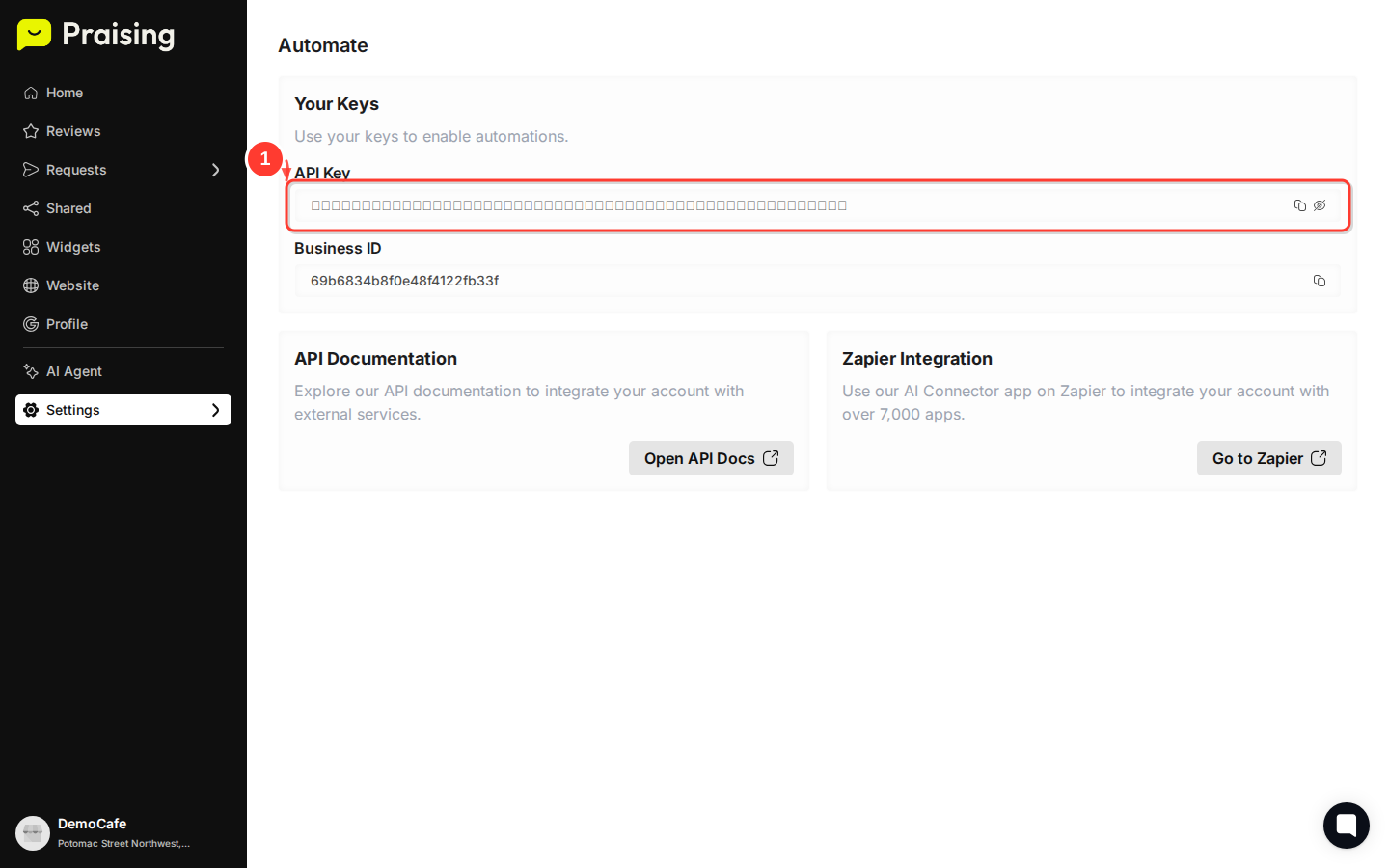
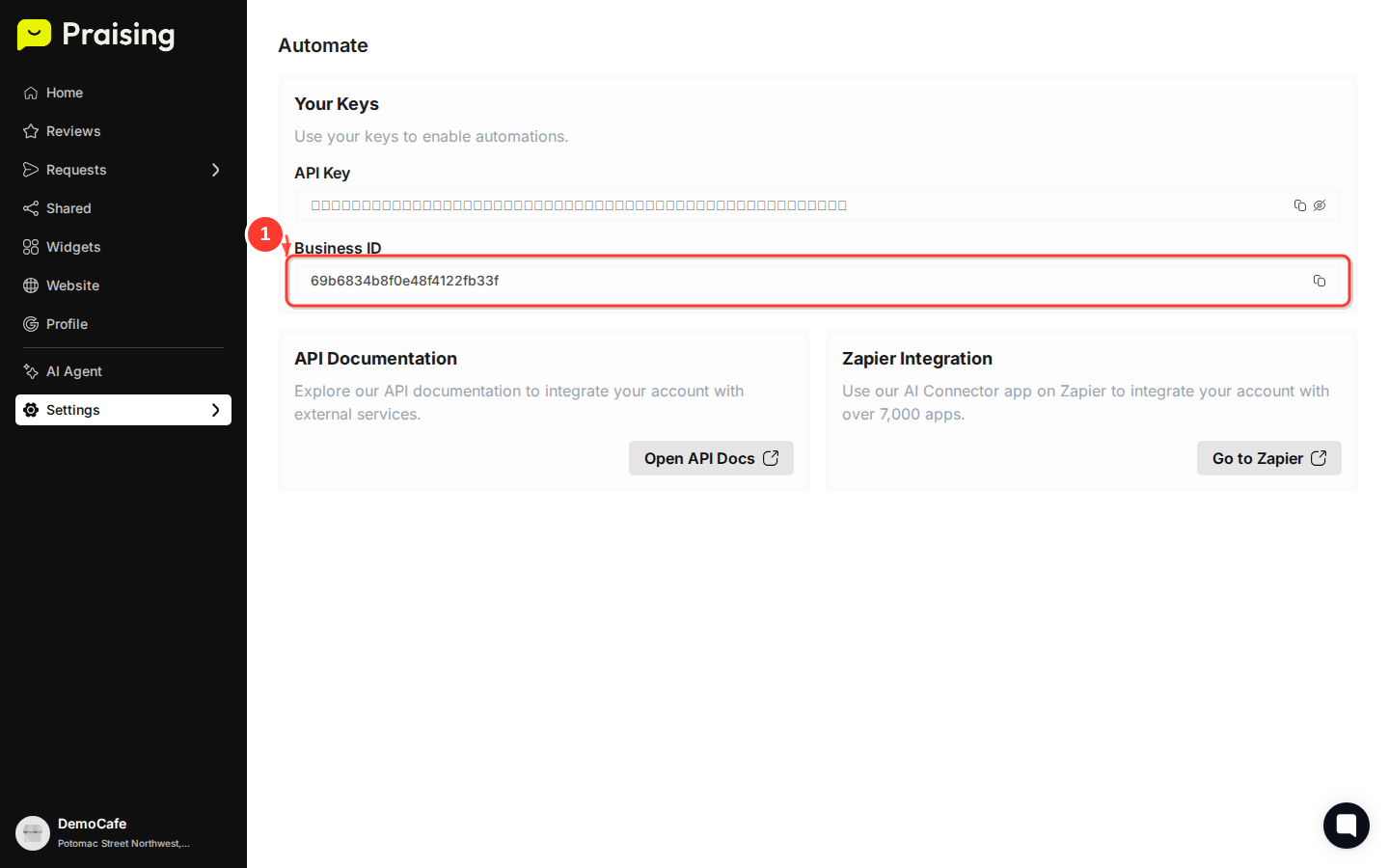
Copy your Business ID
Your Business ID appears directly below your API key in the Your Keys section. Click Copy Business ID to copy it. You'll need this identifier when setting up integrations with external platforms.
Praising.ai gives you a few different ways to connect with external services, depending on how much customization you need.
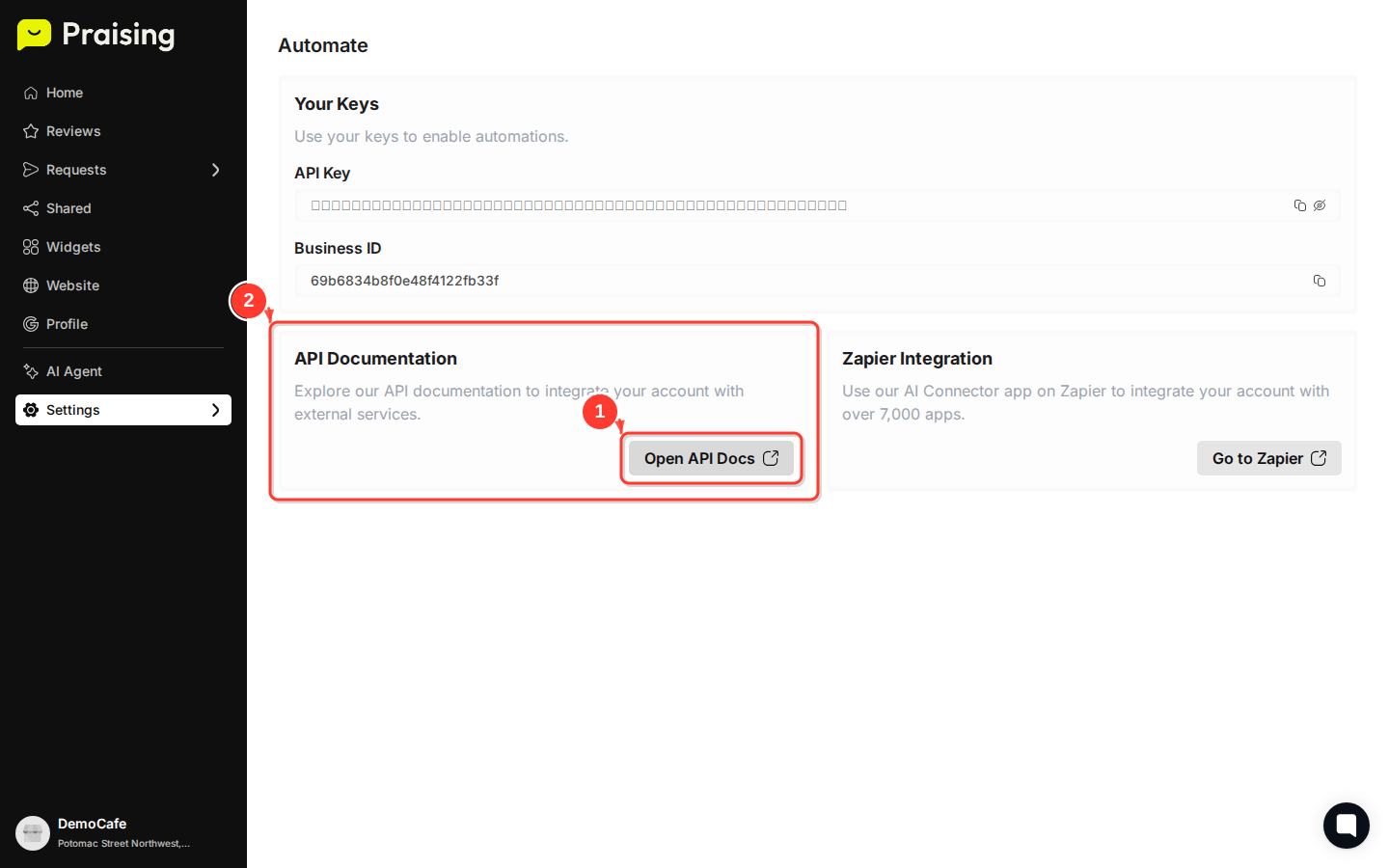
Access the API documentation
Scroll down to the API Documentation section and click Open API Docs. The documentation covers all available endpoints, request formats, and response structures for building custom integrations.
Explore Zapier integration options
In the Zapier Integration section, click View API Docs to access documentation for building a custom Zap against Praising's REST API. This lets you connect Praising.ai with thousands of popular apps without writing any code.
Set up a Google Sheets integration
In the Google Sheets Integration section, click View API Docs to learn how to sync reviews and contacts to Google Sheets by calling Praising's REST API from Apps Script or a Sheets add-on.
With your credentials in hand, you can start building automations that fit your workflow. Think through what you want to trigger automatically — common setups include sending review notifications to Slack, pushing customer data to your CRM, or kicking off email campaigns based on review sentiment.
Plan your automation workflow
Sketch out the trigger and the action before you start configuring anything. Knowing exactly what should happen and when makes the setup much faster.


A few things worth keeping in mind as you configure your rules:
Test with sample data before switching any automation to production
Check in periodically to confirm your automations are still running as expected
Keep credentials private — don't share your API key or Business ID in public forums or unsecured locations
Revisit your rules when your business processes change, so your automations stay accurate
Once the basics are working, here are a few directions worth exploring:
Build custom webhooks using the API docs to connect Praising.ai with tools specific to your business
Set up Zapier workflows to post positive reviews to social media or send thank-you emails automatically
Sync data to Google Sheets to build dashboards and track review trends over time
Create sentiment-based triggers that route negative reviews straight to your customer service team
