
Check your monthly communication limits and track usage across email and SMS in your Praising.ai account. This keeps you aware of where you stand against your plan limits before you hit them.
Steps to view your usage details
Access your usage dashboard
In the left-hand navigation, click Settings, then select Limits from the Settings sub-menu under Location Settings.
Review your email usage statistics
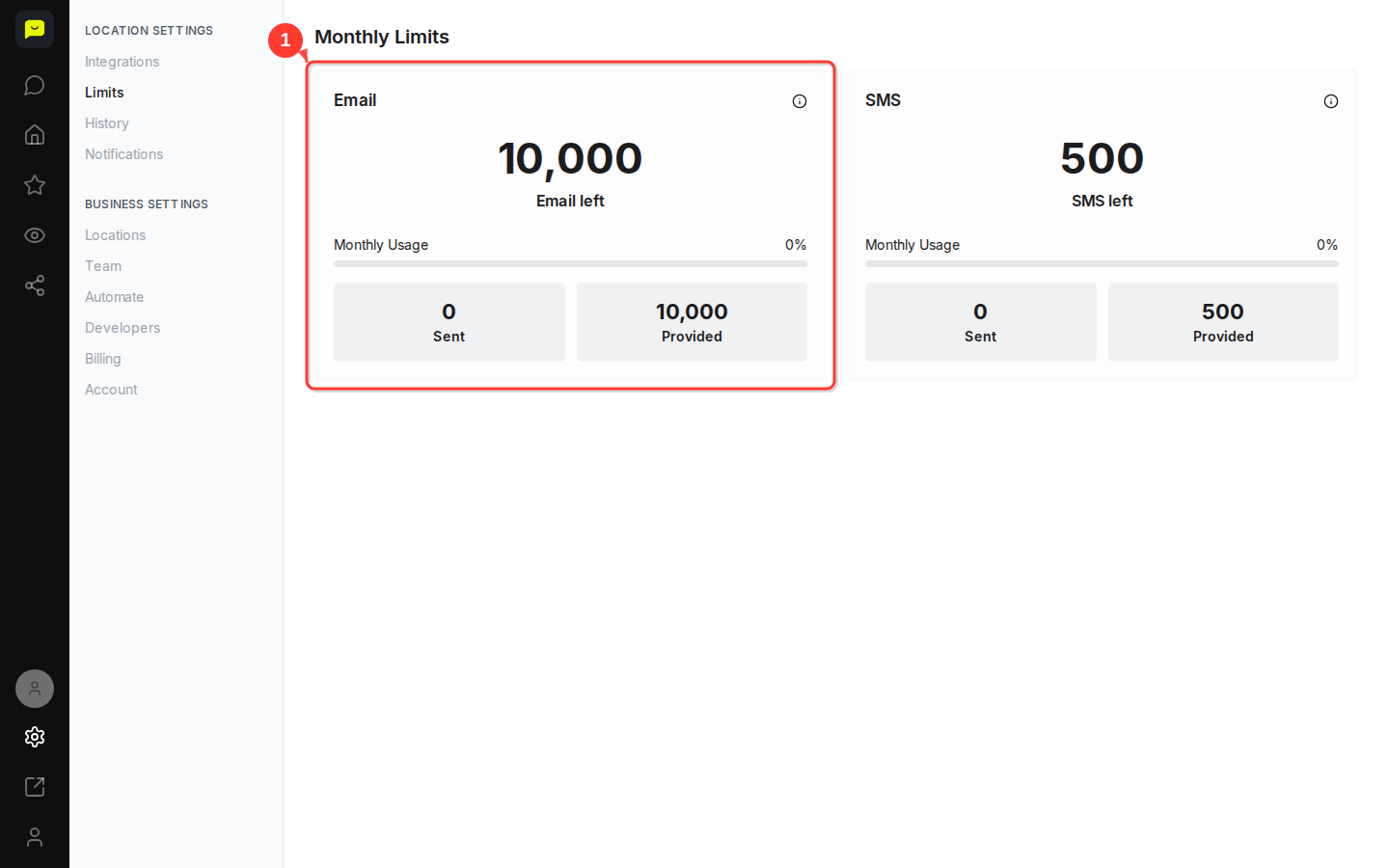
Check your email limits and current usage percentage. The progress bar shows how much of your monthly allocation you've used. Monthly emails are 50 on Forever Free, 500 on Core, 2,000 on Growth and 10,000 on Pro.
Monitor SMS communication limits
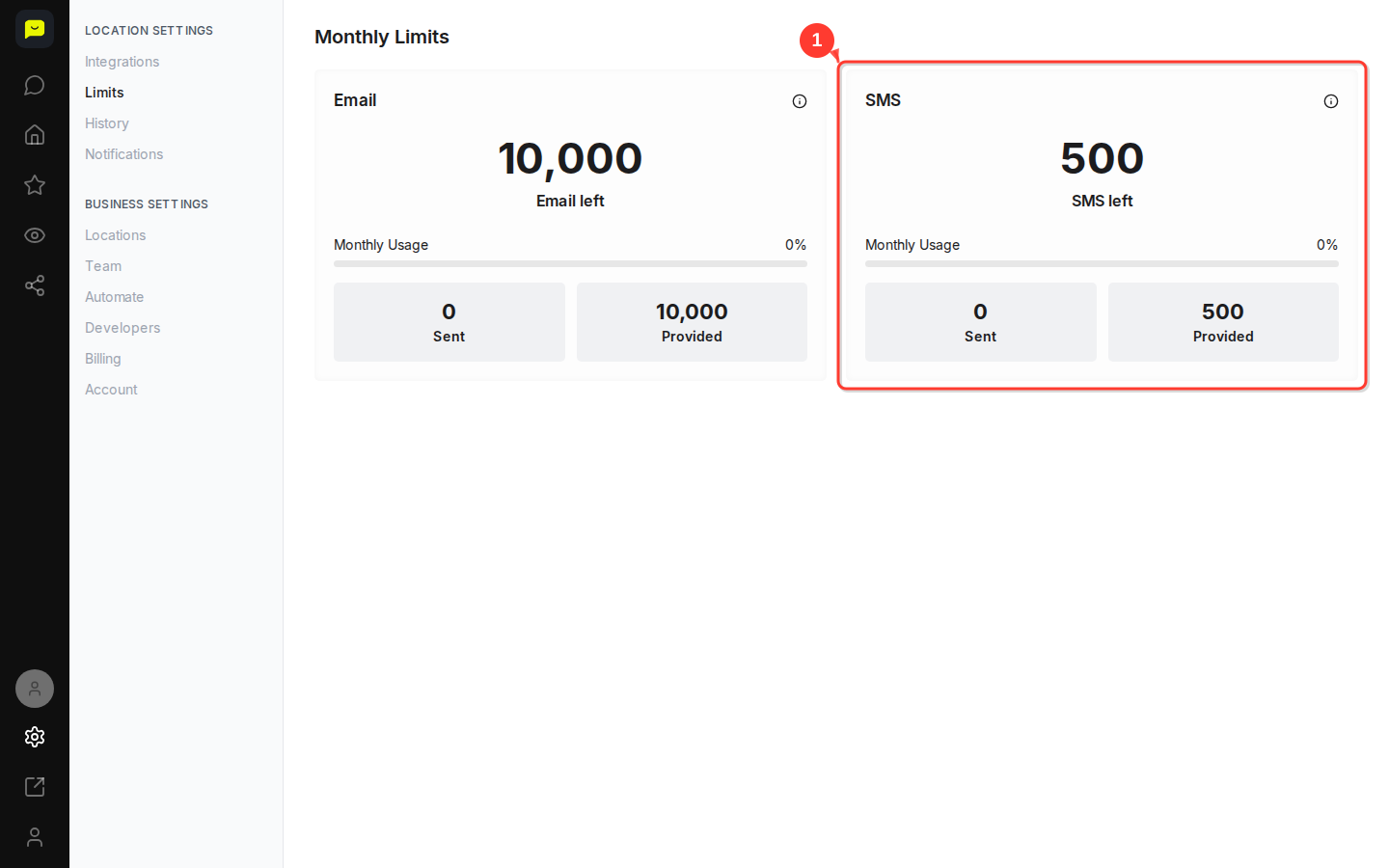
View your SMS usage, including remaining messages and monthly allocation. Paid plans include 50 texts a month on Core, 200 on Growth and 500 on Pro; Forever Free doesn't include SMS. SMS limits are lower than email limits, so keep an eye on this if you rely on texting customers.
Each usage card displays:
Remaining credits for the current month (e.g., "10,000 Email left" or "500 SMS left")
Usage percentage with a visual progress bar labeled Monthly Usage
Sent versus Provided, your plan's monthly total
An info icon that explains what each allowance covers

The Monthly Limits page shows your latest counts each time you open it, and the allowances cover your whole business, across all locations. If you're approaching your limits, consider upgrading your plan to avoid interruptions.
In this example, the Pro plan includes 10,000 emails and 500 SMS messages per month, which works well for accounts that treat email as the primary channel.
What's Next?
Upgrade your plan if you're consistently hitting usage limits
Watch for usage alerts, which owners and admins get automatically at 80% and 100% of each monthly allowance
Check History for a record of the review requests you've sent
Plan campaigns strategically based on your remaining monthly allowances