When someone asks ChatGPT or another AI assistant to recommend a coffee shop, a plumber, or any local business, does your name come up? The AI Ranking page in Praising.ai shows you exactly which AI-generated answers mention your business, which competitors are getting named instead, and how wide the gap is. Checking this regularly gives you a clear, honest baseline for your AI visibility.
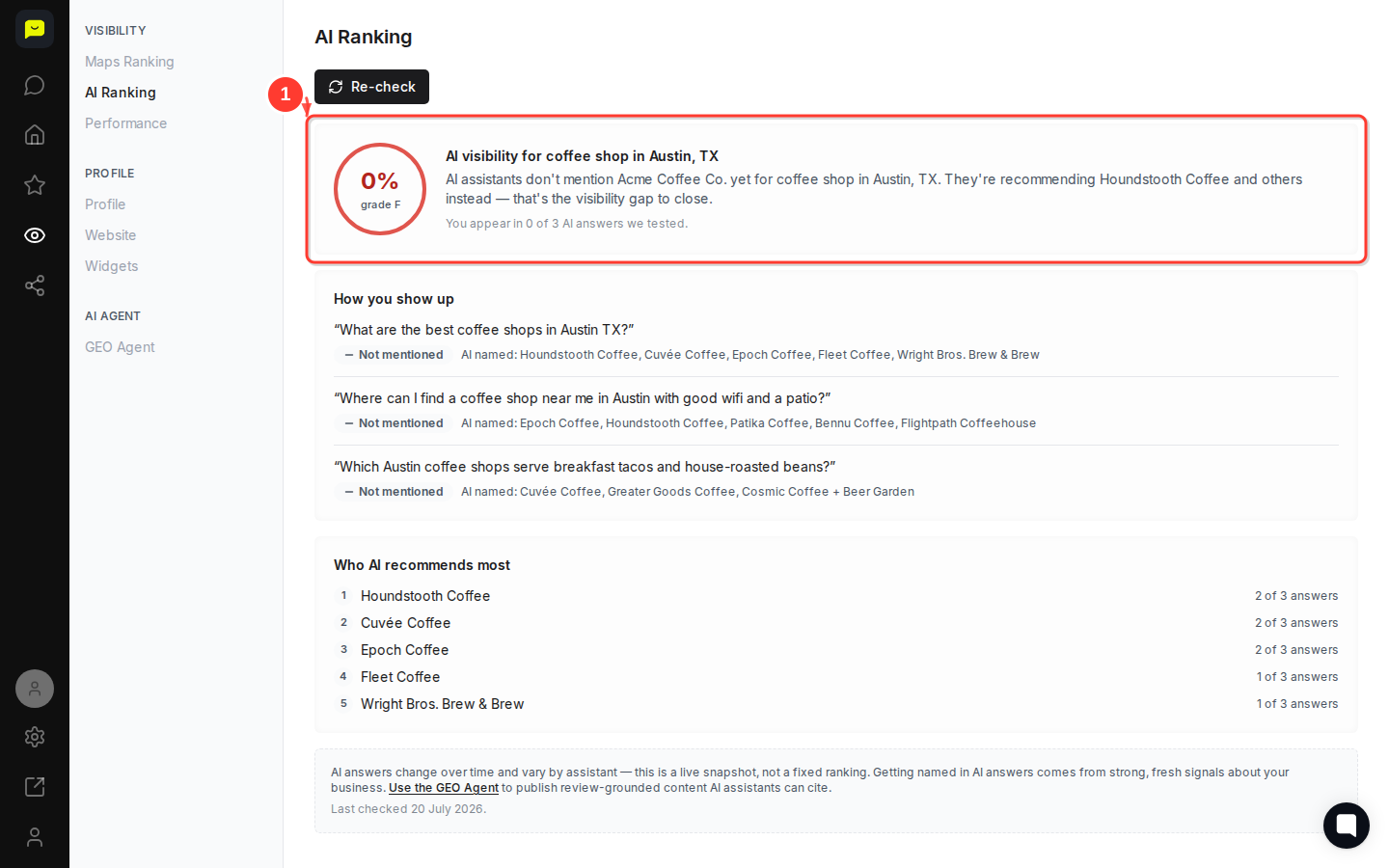
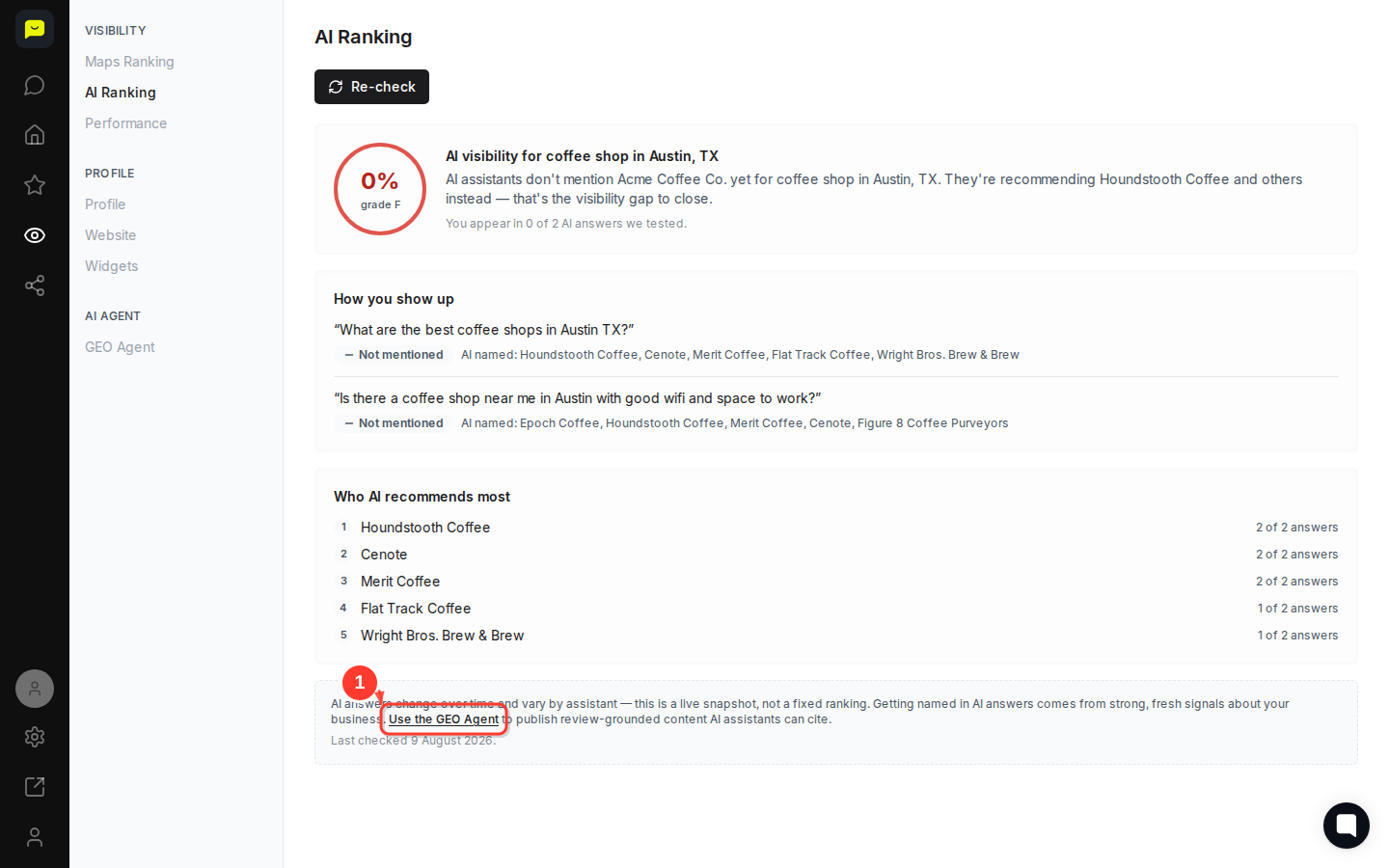
The AI Ranking page opens with your overall visibility grade at the top. You'll see a percentage score and letter grade — in this example, 0% / Grade F — alongside a plain-English summary explaining that AI assistants aren't mentioning your business yet and are recommending competitors instead.
Read the summary carefully. It tells you your category and location (e.g., coffee shop in Austin, TX) so you can confirm Praising.ai is testing the right context for your business.
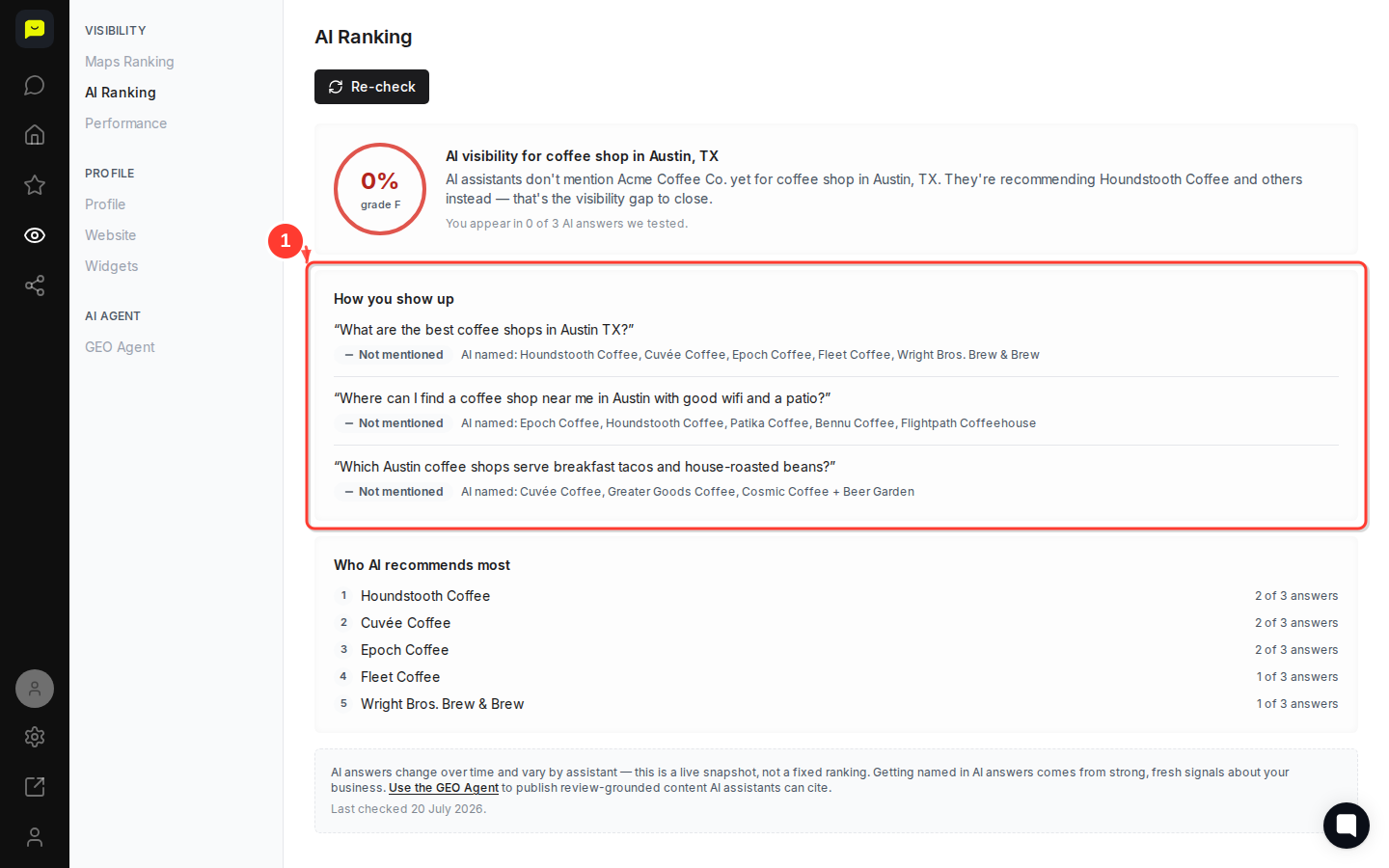
Scroll down to the "How you show up" section. Here you'll find each specific question Praising.ai tested — real prompts that consumers might ask an AI assistant. For each question, you can see:
Whether your business was mentioned or not mentioned
The exact competitors the AI named in your place
For example, the question "What are the best coffee shops in Austin TX?" returned Houndstooth Coffee, Cuvée Coffee, Epoch Coffee, Fleet Coffee, and Wright Bros. Brew & Brew — but not Acme Coffee Co. Seeing the precise wording of each question and the names that appeared helps you understand which types of searches are leaving you out.
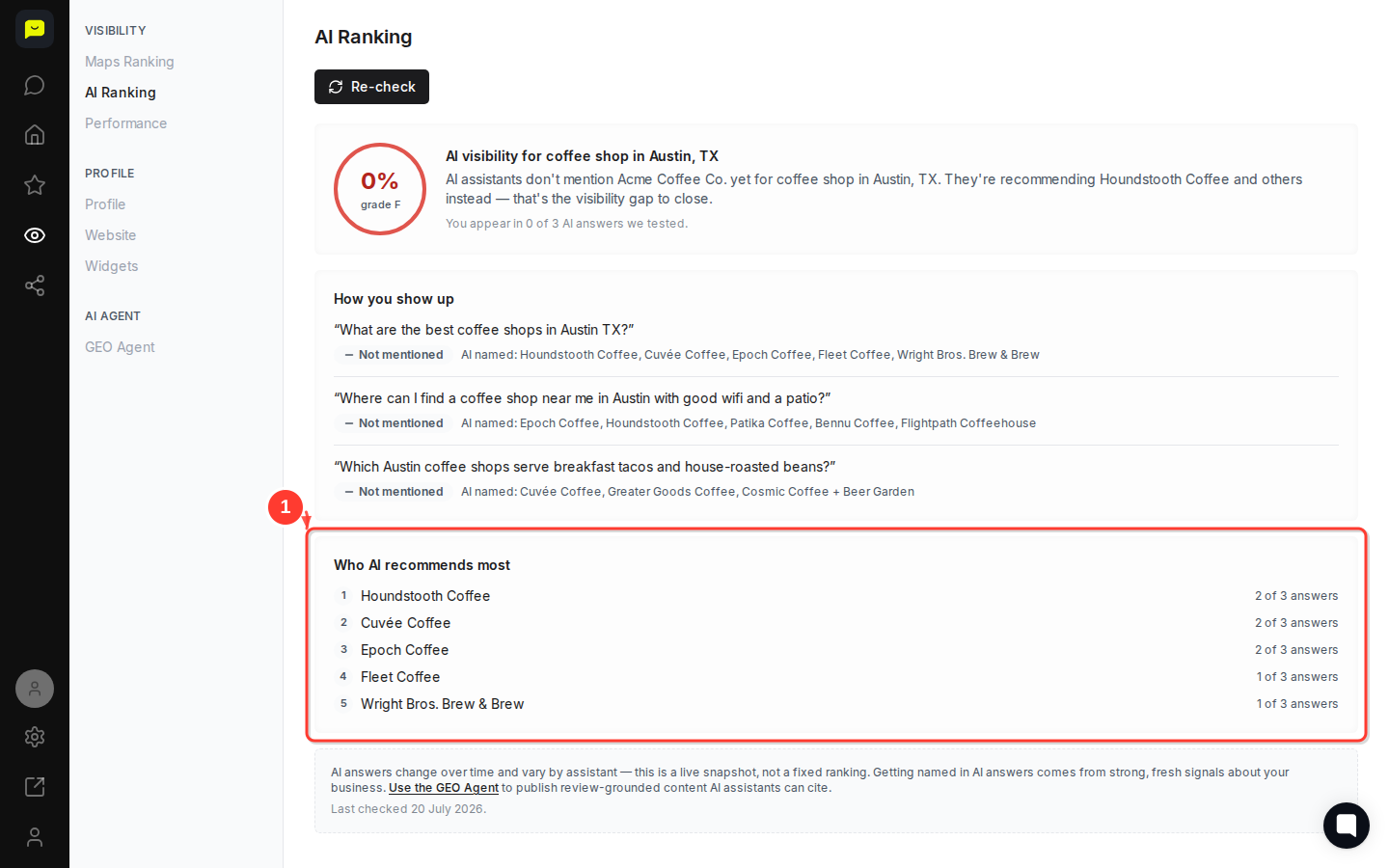
Continue scrolling to "Who AI recommends most." This ranked list shows which competitors appeared most frequently across all tested queries. In this snapshot:
Houndstooth Coffee — 2 of 3 answers
Cuvée Coffee — 2 of 3 answers
Epoch Coffee — 2 of 3 answers
Use this leaderboard to identify your main competitors for AI visibility and see how consistently they're being surfaced. Businesses that appear in 2 or 3 out of 3 answers have strong, consistent signals. That's the benchmark to aim for.
AI answers shift over time as assistants update their training data and web indexes. To get a current snapshot, click the Re-check button at the top of the page. Praising.ai will re-run the test queries and update your score, question results, and competitor leaderboard.
The page footer shows when data was last collected — for example, Last checked 20 July 2026 — so you always know how fresh your current results are.

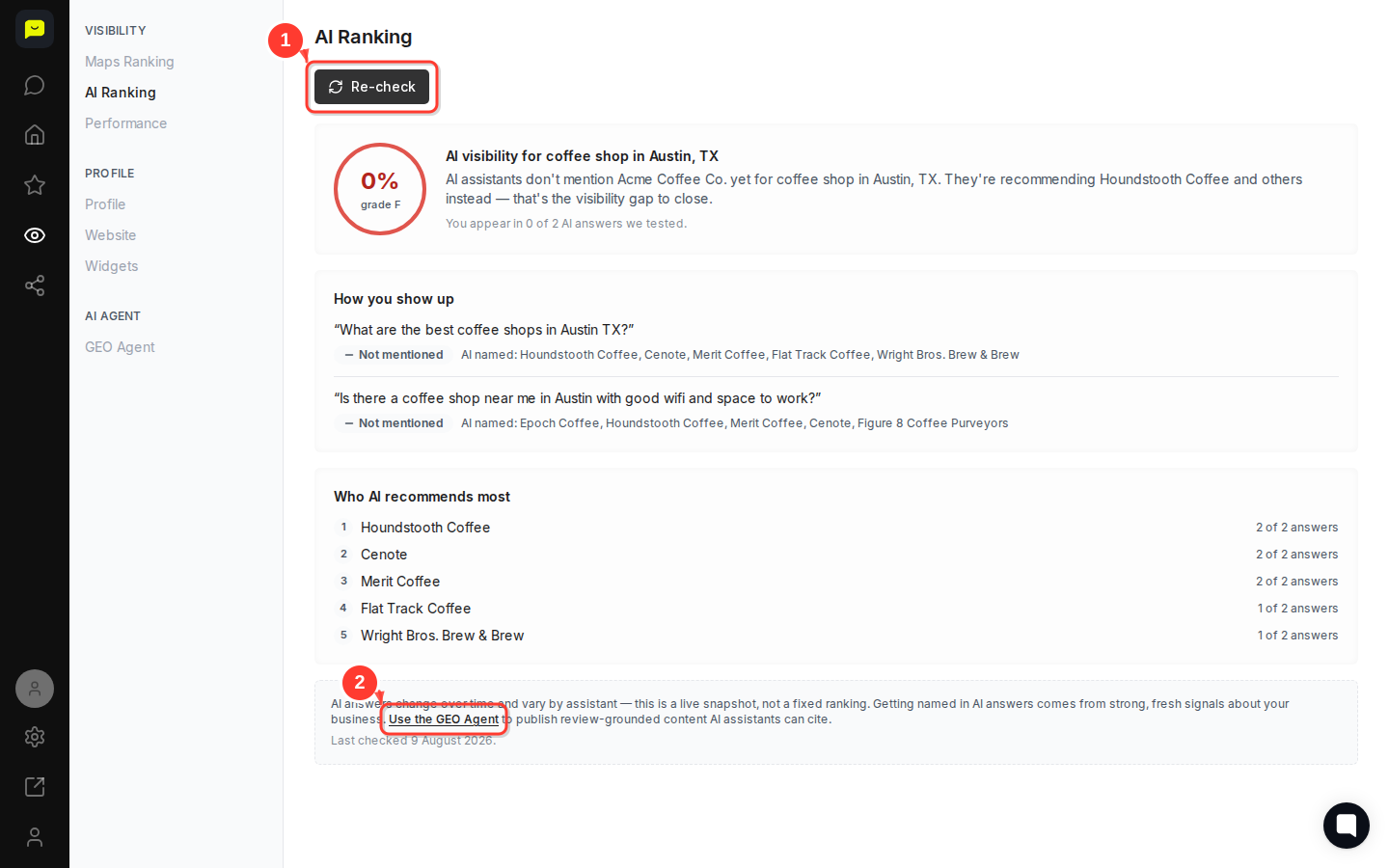
If your score is low, the page links directly to the GEO Agent — Praising.ai's tool for publishing review-grounded content that AI assistants can cite. Click Use the GEO Agent in the note at the bottom of the page to start building the kind of fresh, specific content that moves you from "not mentioned" to recommended.
You can also navigate to GEO Agent any time using the left-hand navigation under the AI Agent section.
How to navigate your Praising.ai dashboard — get familiar with all the sections available to you
How to read your Google Performance stats — understand your broader search visibility alongside AI visibility
How to configure AI Agent response settings — fine-tune how Praising.ai works to improve your AI presence
