Praising.ai's AI Sentiment feature automatically analyzes all of your incoming reviews and distills them into a clear, actionable summary — no manual tagging or spreadsheet-sorting required. Instead of reading through every review yourself, you get an instant picture of what customers love, where friction exists, and exactly what to do about it.
Navigate to Reputation → AI Sentiment in the left sidebar. The page loads with your Sentiment Analysis dashboard front and center, showing the date of the last analysis at the bottom of the page ("Last updated on: 20 July").
Everything on this page was generated automatically from your real review data.
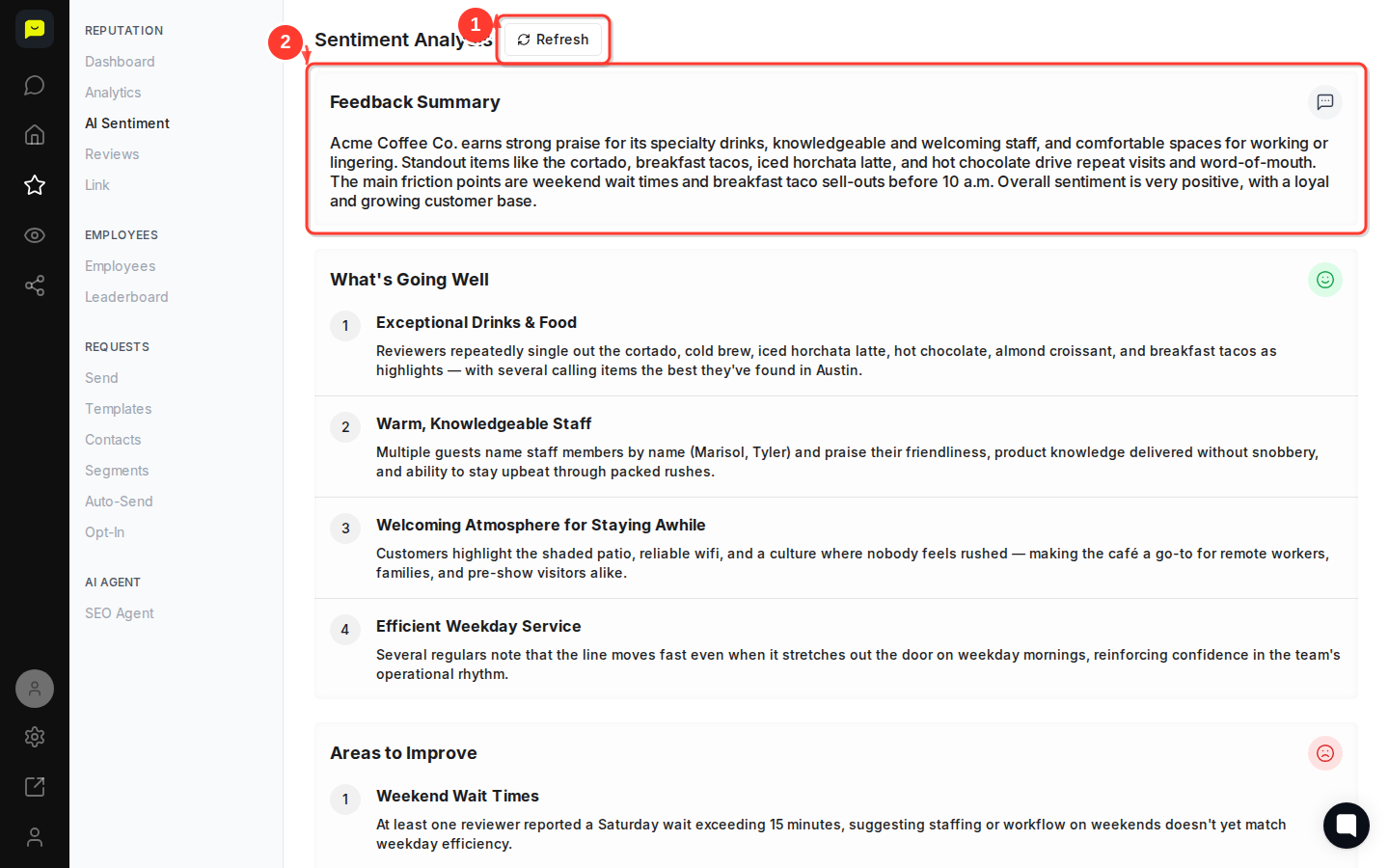
At the top of the page, under Feedback Summary, the AI writes a plain-language paragraph capturing the overall mood of your reviews. For Acme Coffee Co., for example, the summary calls out specialty drinks, welcoming staff, and comfortable spaces as key strengths, while flagging weekend wait times and early breakfast taco sell-outs as the main friction points.
This paragraph is designed to be shareable. Copy it directly into a team update or owner's report so everyone understands current customer perception at a glance.

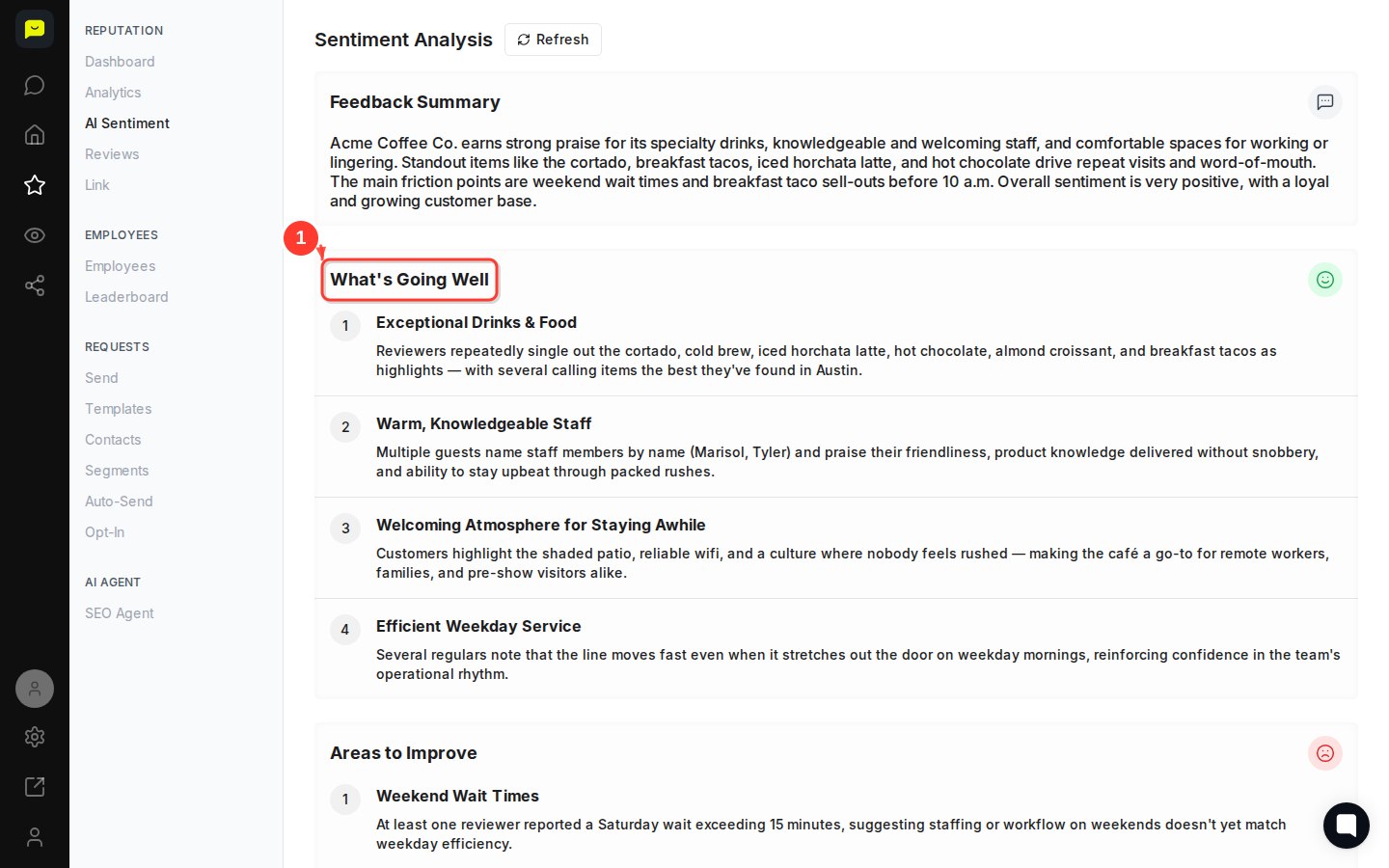
Scroll down to the What's Going Well section. The AI surfaces your top positive themes as a numbered list, each with a short title and a supporting detail drawn directly from reviewer language.
In a real account you might see entries like:
Exceptional Drinks & Food — specific items called out by name
Warm, Knowledgeable Staff — reviewers who mention employees by name
Welcoming Atmosphere for Staying Awhile — themes around the patio, wifi, and pace
Efficient Weekday Service — operational praise from regulars
Use this section to recognize your team, double down on what's working, and identify moments worth highlighting in your marketing.
Continue scrolling to Areas to Improve. This section surfaces the negative or constructive patterns the AI detected across your reviews, ranked so the most commonly mentioned friction points appear first.
Each item is specific and evidence-based, not generic. Rather than "customers want faster service," you'll see something like "At least one reviewer reported a Saturday wait exceeding 15 minutes," giving you the context you need to act.
Below the improvement areas, the AI generates a prioritized Action Plan with concrete next steps tied directly to what reviewers said. Each action item is tagged with a priority level (High, Medium, or Low) and a time horizon (Short term or Medium term), so you can sequence your response without guessing.
For example, a high-priority, short-term action might be to increase weekend staffing and breakfast taco batch sizes, while a medium-priority, medium-term item might be piloting extended evening hours on weekends.
The Action Plan translates reviewer feedback into an operational to-do list your team can start using today.
Now that you understand how AI Sentiment works, here are a few natural next steps:
[How to reply to customer reviews](https://help.praising.ai/en/articles/69ba5f6388b75a8cd7a31617) — respond to the reviews that are shaping your sentiment score.
[How to set up Auto-Send for review requests](https://help.praising.ai/en/articles/69bbad6f04e870e55eaef80a) — feed more reviews into your sentiment analysis automatically.
[How to read your Google Performance stats](https://help.praising.ai/en/articles/69ba5c02ce74d976634c5349) — pair your sentiment insights with hard traffic and visibility numbers.
