The SEO Agent automatically drafts personalised replies to your customer reviews, matching the tone, length, and language you've configured. Instead of staring at a blank reply box, you get a ready-to-approve response for every review. Once you connect the Google API, approved replies post directly to Google without any extra steps.
A Praising.ai Pro account
At least one connected review source (Google recommended)
SEO Agent configured via the Setup tab (tone, length, and language preferences saved)
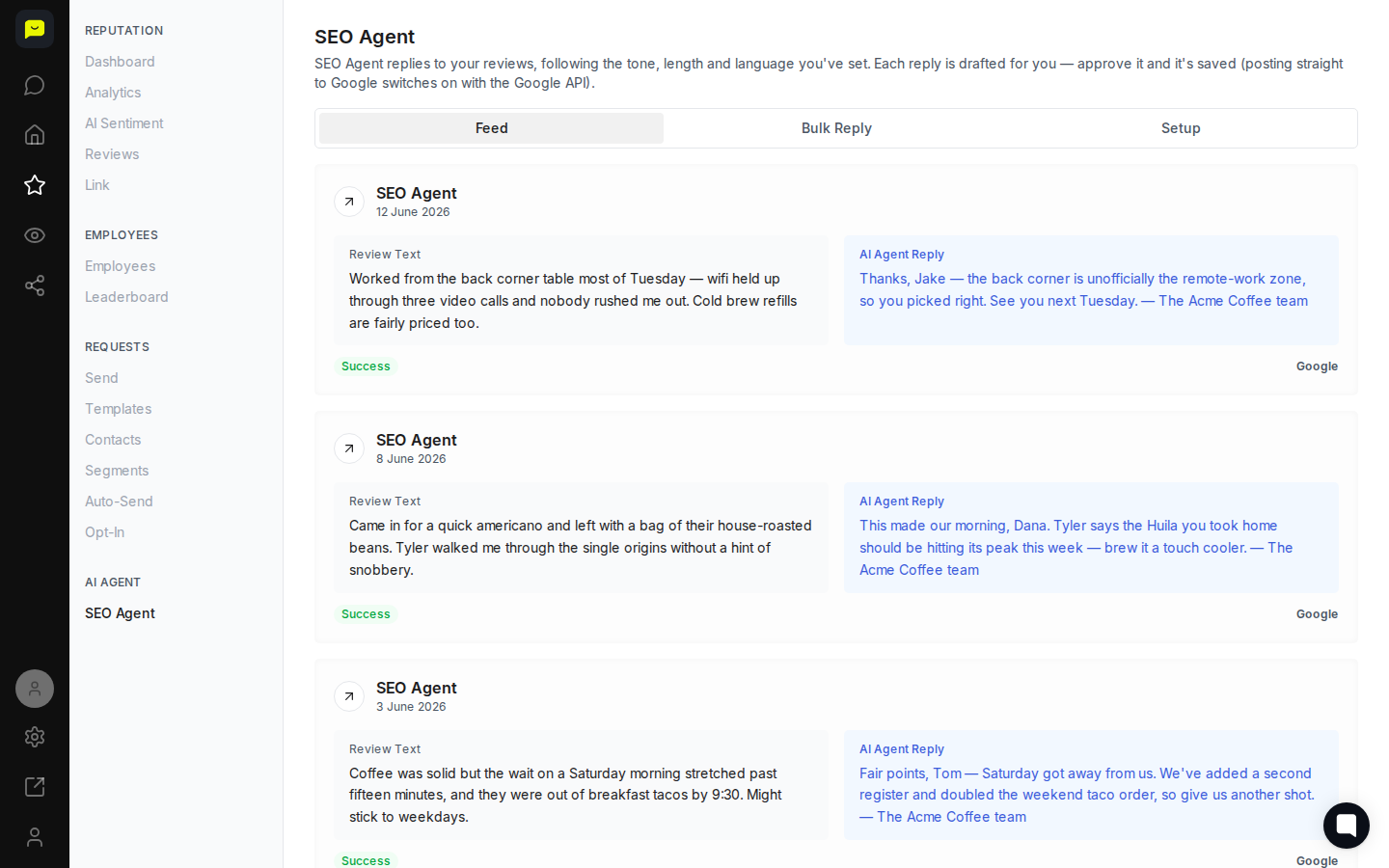
Navigate to Reputation → SEO Agent in the left sidebar. The page opens on the Feed tab by default, showing every review the agent has processed alongside the AI-drafted reply beneath it.
Each card displays the original review text, the AI-generated reply, and a Success status badge confirming the reply has been approved and saved. This is your central view for everything the SEO Agent has handled.
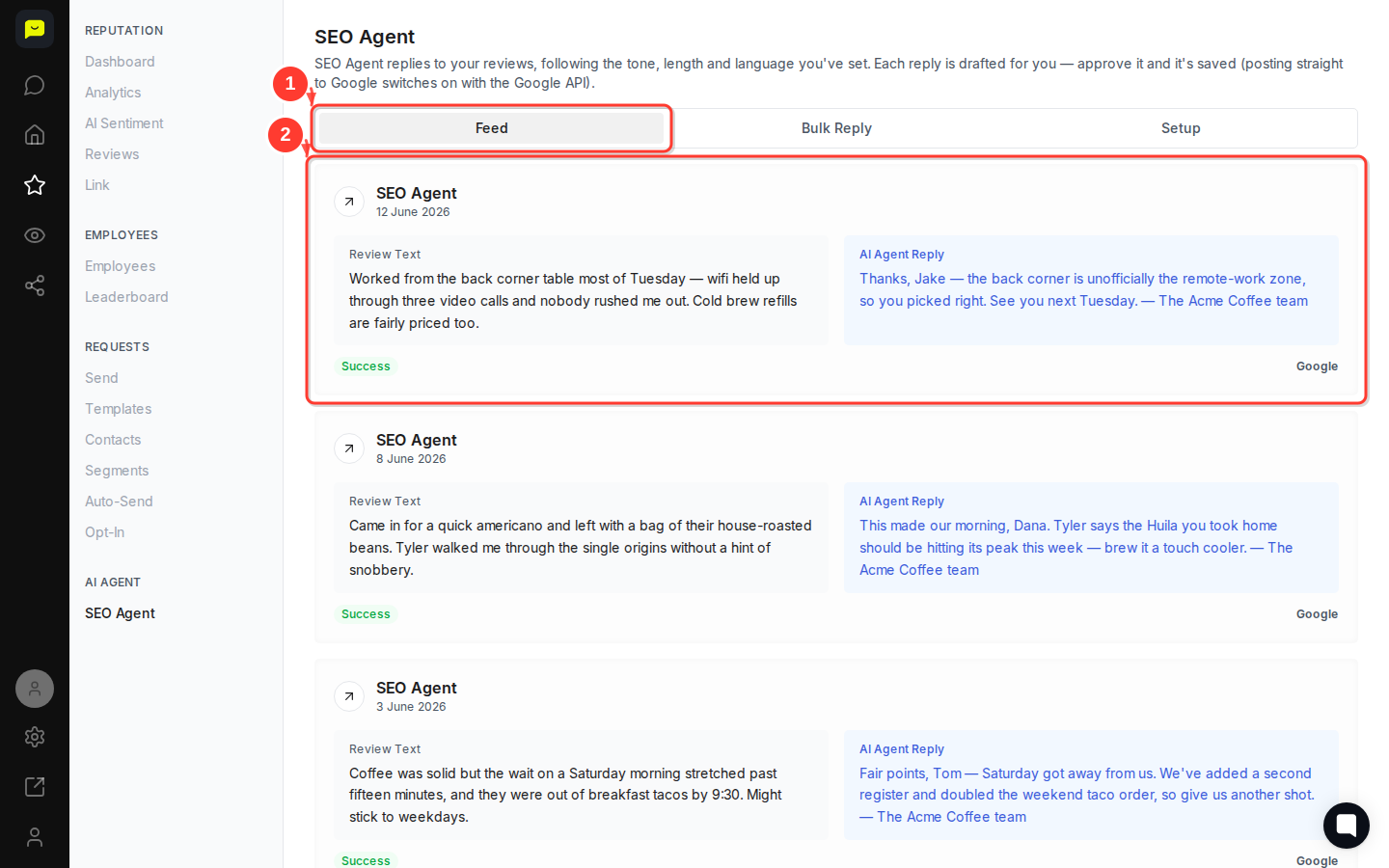
Notice how the SEO Agent tailors each reply to the individual reviewer. For a positive review from Jake about working from the corner table, the reply references that specific detail ("the back corner is unofficially the remote-work zone") and closes warmly. For a critical review from Tom about slow Saturday service, the reply acknowledges the issue directly and explains what's been fixed.
This specificity is intentional. Replies that mention genuine details from the review signal authenticity to both the customer and Google's ranking signals, which is the core SEO benefit of this feature.
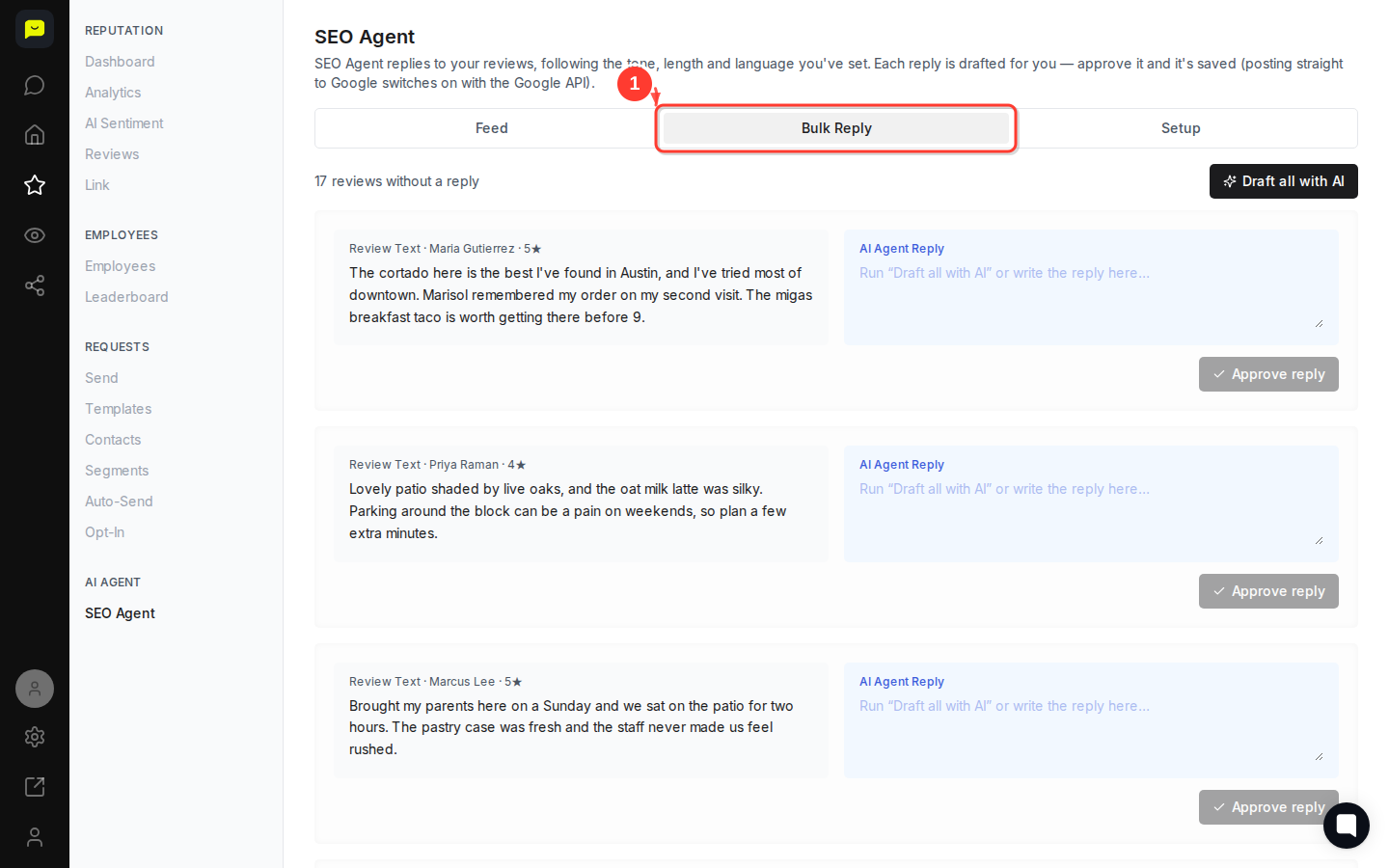
Click the Bulk Reply tab at the top of the page. This tab lets you process multiple pending replies at once, rather than approving them one by one from the Feed.
Bulk Reply is particularly useful after a busy weekend or following a review request campaign when a batch of new reviews arrives at the same time.
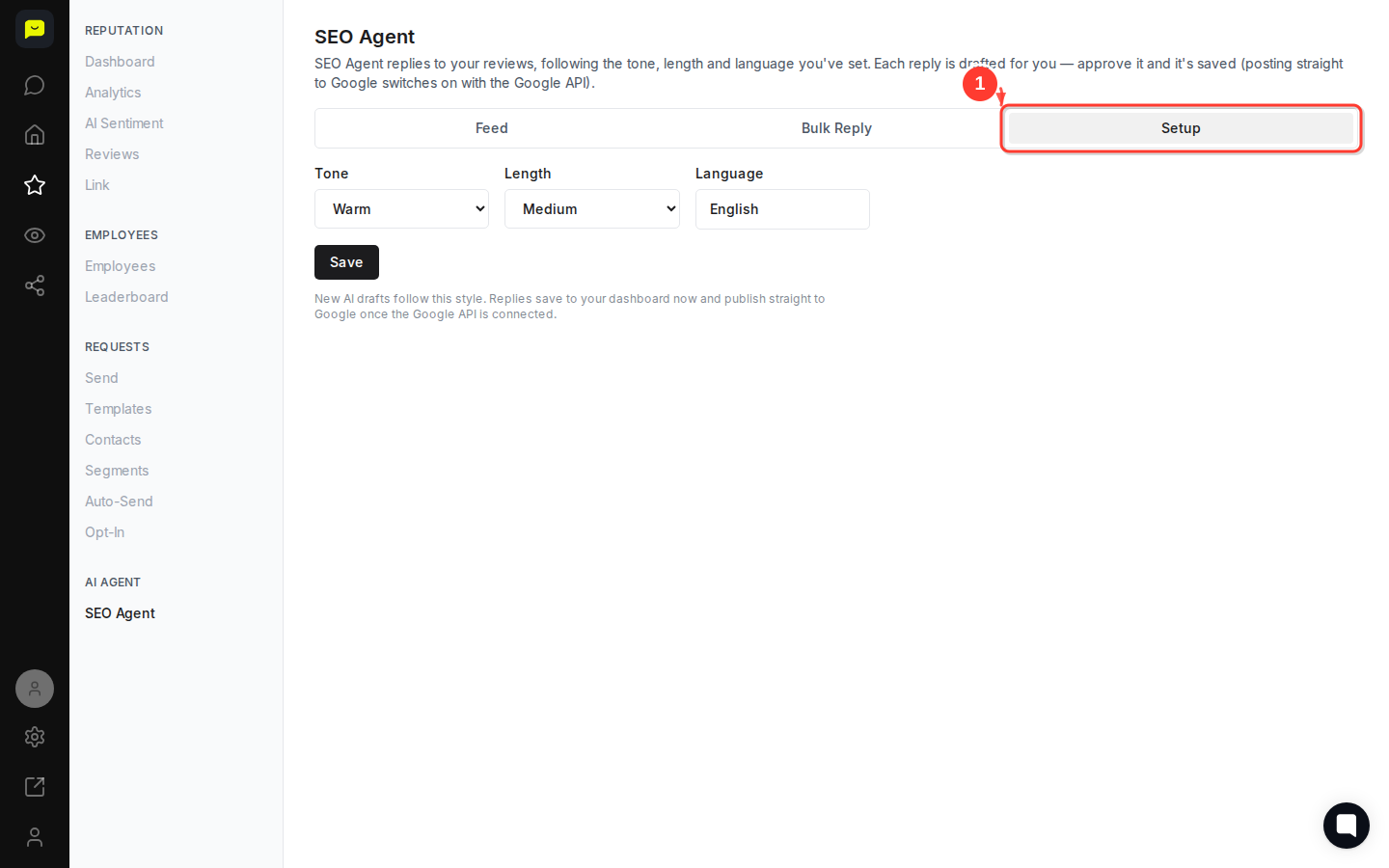
Click the Setup tab to control how the SEO Agent writes replies. This is where you define the tone (friendly, professional, concise), preferred reply length, and the language the agent should use.
Getting Setup right before reviews start coming in means every drafted reply sounds like your brand from day one, with no manual editing required.

Once you're happy with the quality of drafted replies in the Feed, connect your Google Business account via Settings → Integrations. With the Google API active, approved replies post straight to Google — no copying, pasting, or logging into Google Business Profile.
Until the API is connected, replies are saved within Praising.ai and you can copy them across manually. The Success badge on each Feed card confirms a reply is approved and ready to go.
How to configure AI Agent response settings — fine-tune tone, length, and language rules
How to reply to customer reviews — handle replies manually when you want full control
How AI Sentiment reads your reviews — understand the sentiment analysis that powers smarter replies
