The Billing page in Praising.ai is where you view your current plan, compare available plans, and manage your subscription. Keeping your plan aligned with your business needs means you'll always have the right amount of SMS, email, AI tokens, and more for your review and reputation tools.
Navigate to Settings → Billing in the left sidebar. The Billing page loads with your current plan highlighted at the top, alongside all available plans for easy comparison.
You'll see three plan tiers displayed side by side: Pro, Growth, and Core. Your active plan shows a disabled Active Plan button so you can see at a glance which tier you're on.
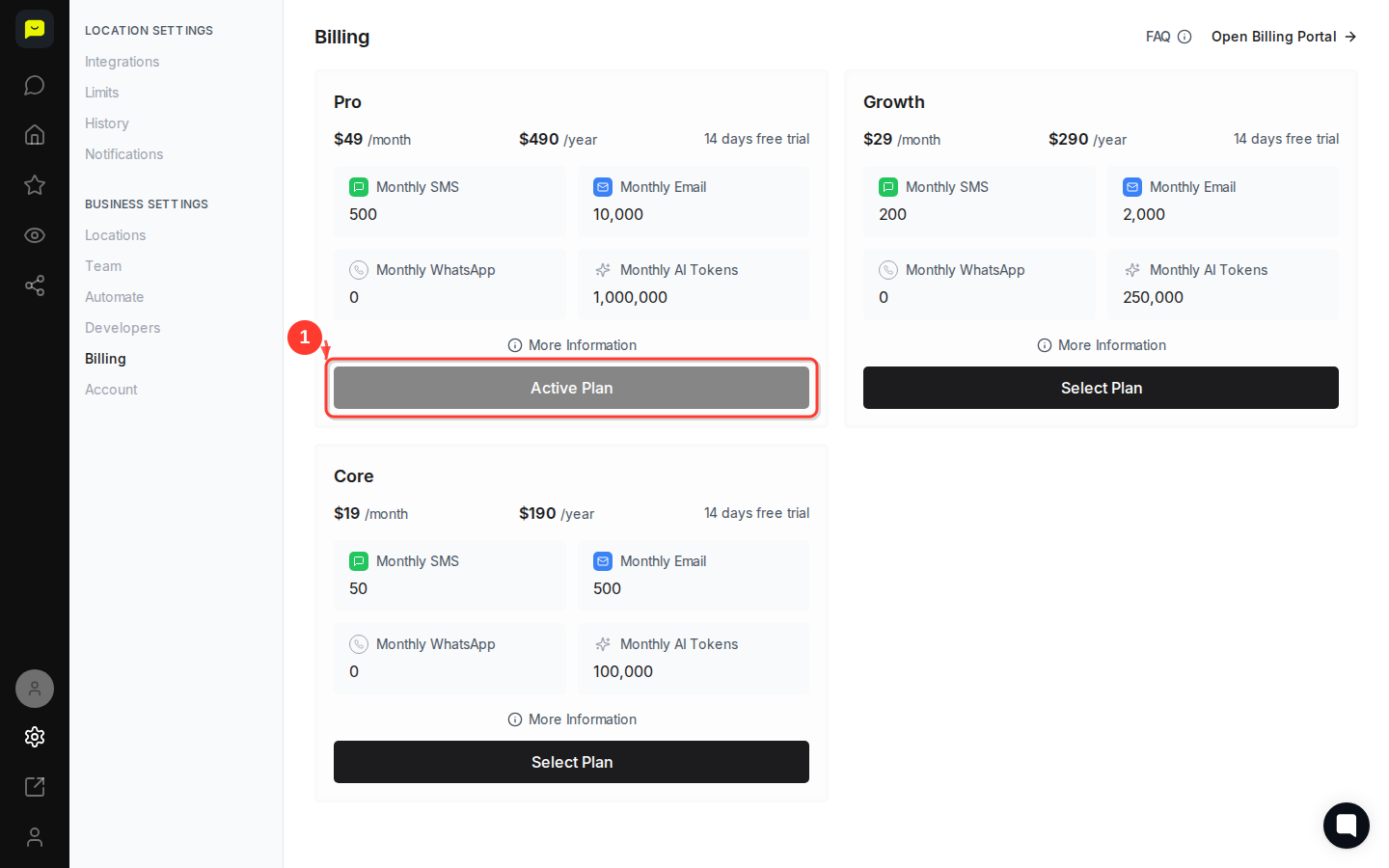
On your active Pro plan card, check the monthly resource limits included with your subscription:
Resource | Pro Plan |
Monthly SMS | 500 |
Monthly Email | 10,000 |
Monthly WhatsApp | 0 |
Monthly AI Tokens | 1,000,000 |
Knowing these limits helps you decide whether your current plan still fits. If you're regularly approaching your monthly email limit, for example, that's a sign to think carefully before downgrading.
Click the More Information button on any plan card to expand additional details about that tier. This is useful when deciding whether to upgrade or downgrade, since it surfaces features and differences that aren't visible in the summary view.
The three available plans are:
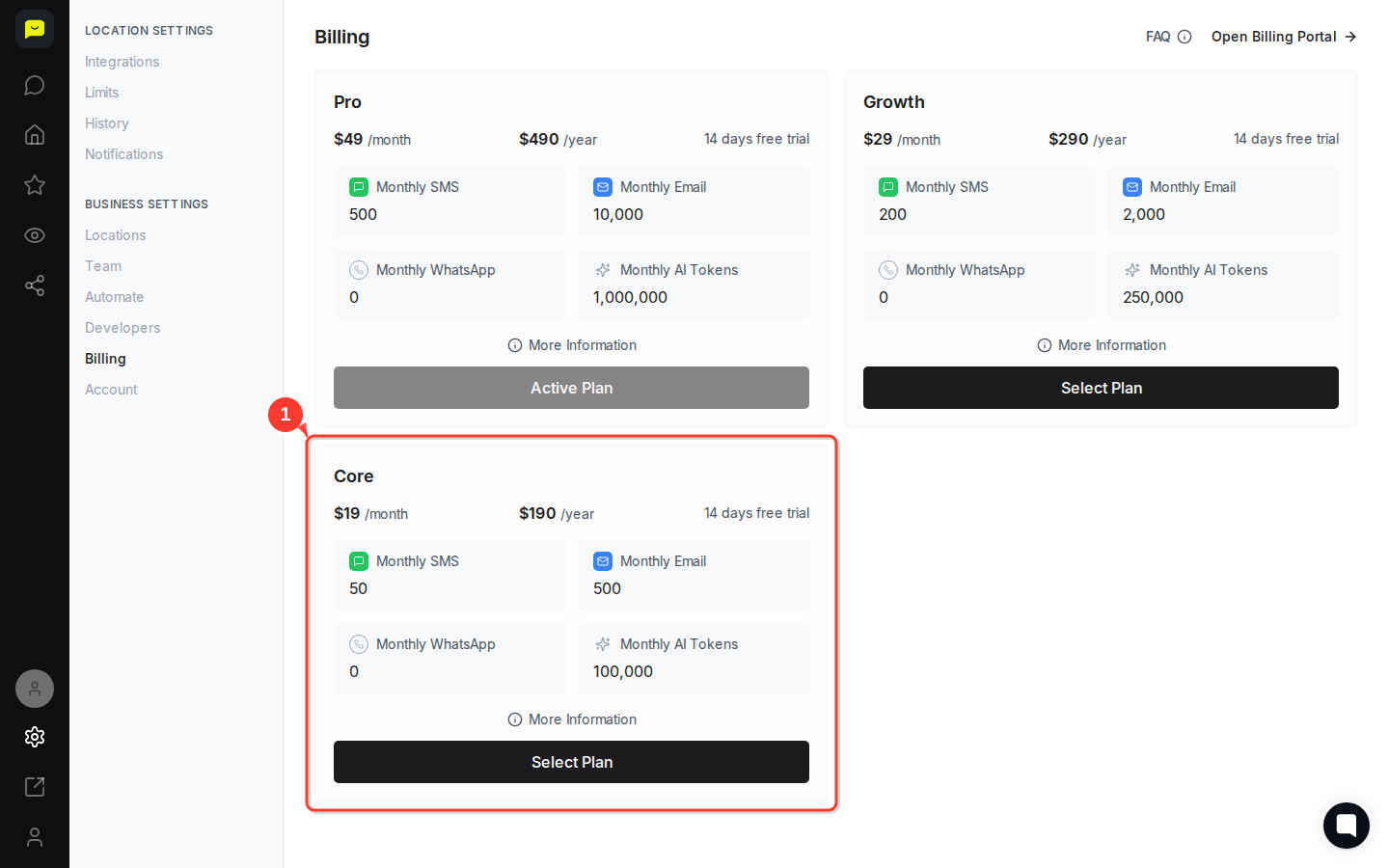
Core — $19/month or $190/year · 50 SMS · 500 emails · 100,000 AI tokens
Growth — $29/month or $290/year · 200 SMS · 2,000 emails · 250,000 AI tokens
Pro — $49/month or $490/year · 500 SMS · 10,000 emails · 1,000,000 AI tokens
All plans include a 14-day free trial, and annual billing saves you roughly two months compared to paying month to month.
To switch tiers, click the Select Plan button on the plan you want. The Select Plan button appears on any plan that isn't your current active one (Core and Growth in this example).

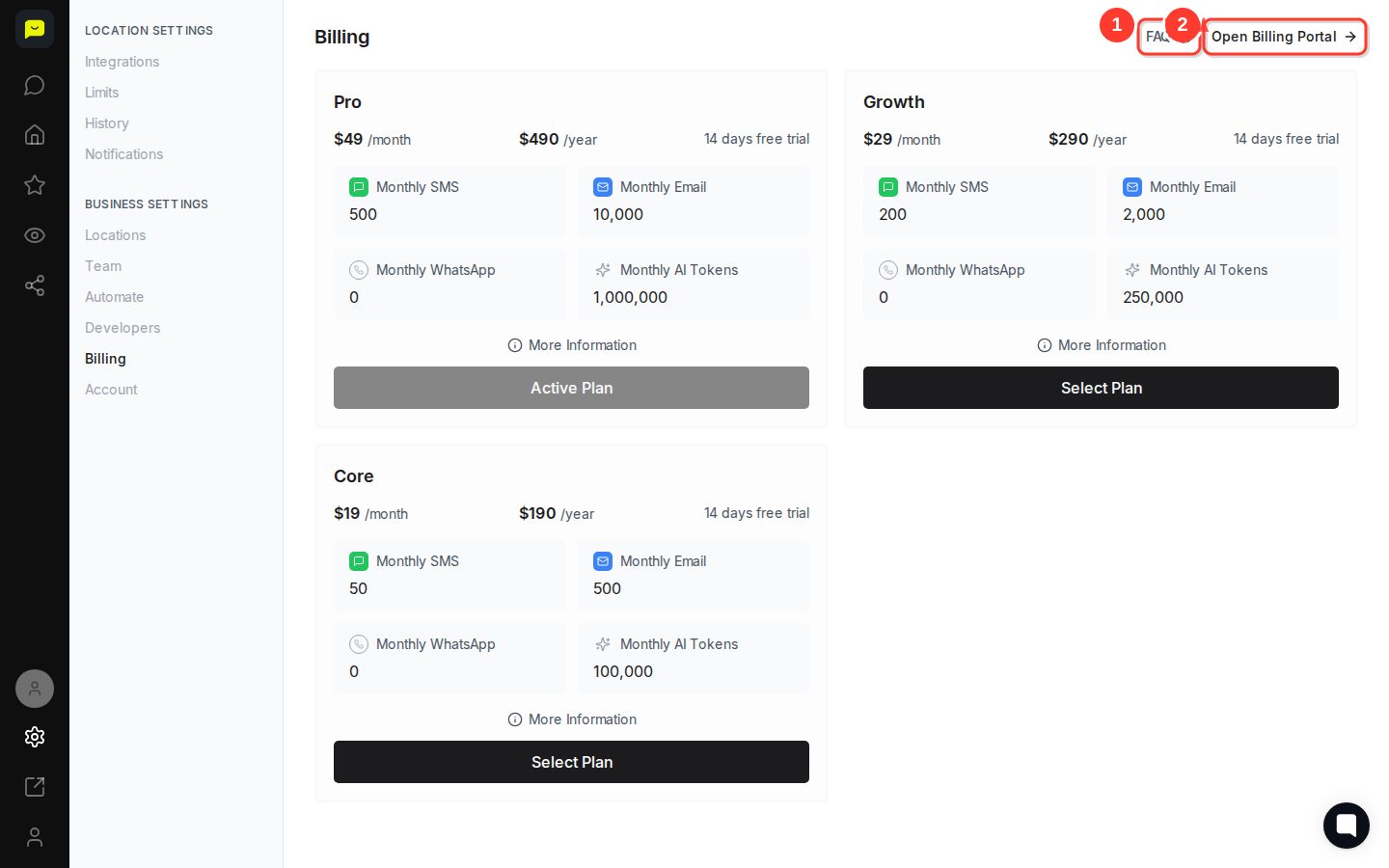
For invoice history, payment method updates, and subscription management, click the Open Billing Portal button in the top-right corner of the Billing page. This takes you to a secure external portal where you can:
Download past invoices
Update your credit card or payment method
Cancel or modify your subscription
If you have questions before making any changes, click the FAQ button next to Open Billing Portal to find answers to common billing questions.
Once your plan is set, here are some good next steps to get more out of Praising.ai:
How to set up auto-campaigns for review requests — Put your monthly SMS and email allowance to work automatically.
How to set up integrations with other platforms — Connect Praising.ai to your existing tools to get more value from your plan.
How to navigate your Praising.ai dashboard — Get familiar with everything your plan unlocks across the platform.
